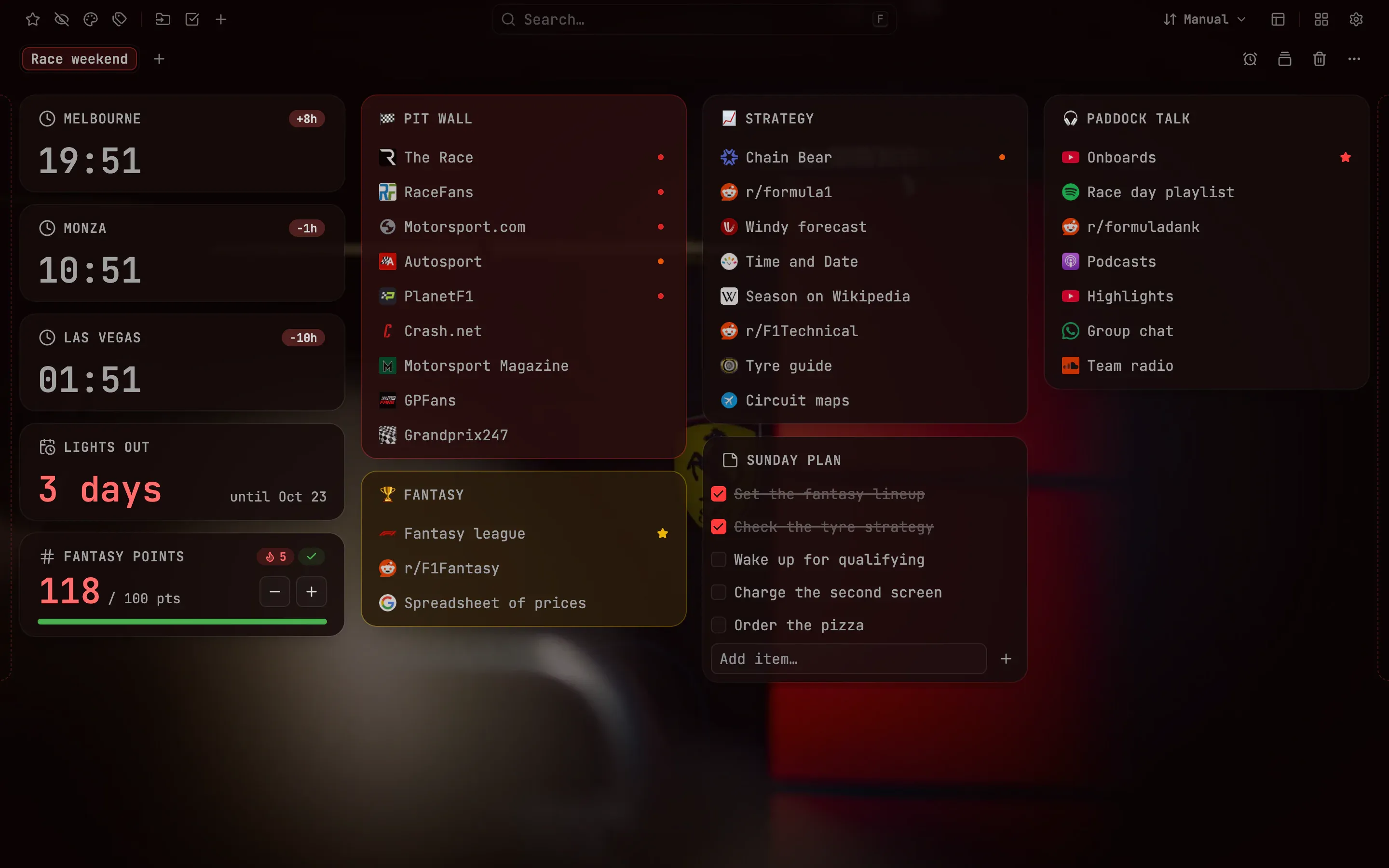
Follow a race weekend from one page: a countdown to lights out (the start of the race), clocks for three circuits, your fantasy points and every timing link in compact rows
For the fan who plans the whole weekend around lights out
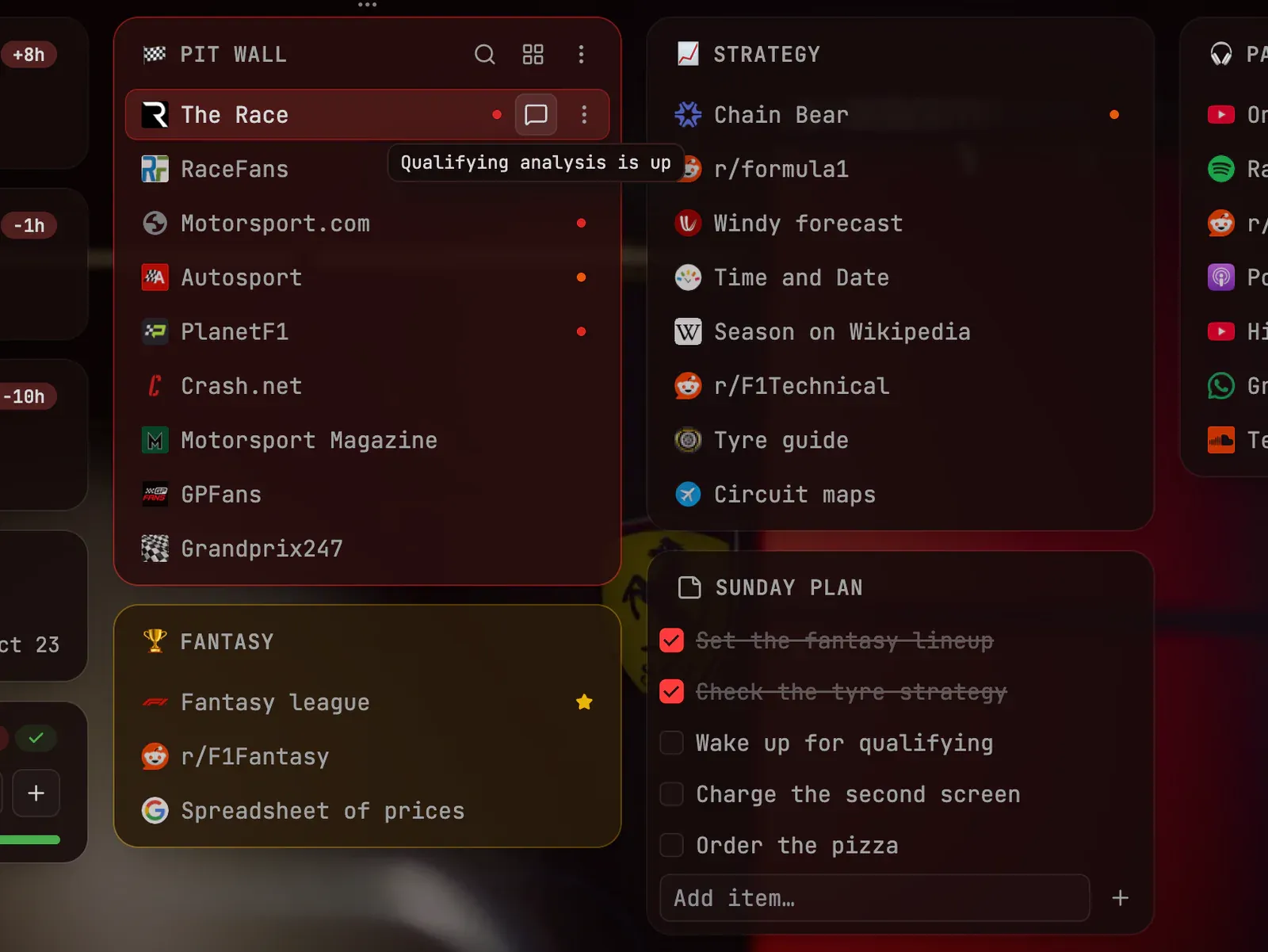
A comment on a link: a note to yourself that shows on hover
Follow a race weekend from one new tab
A race weekend is scattered across live timing, strategy blogs, a fantasy league and a forum thread, usually in a time zone that is not yours. This page gathers them. Compact rows fit a lot of links on one screen without crowding it, and four columns keep them apart: Pit wall (the team’s desk beside the track, so live timing), Strategy, Fantasy and Paddock talk
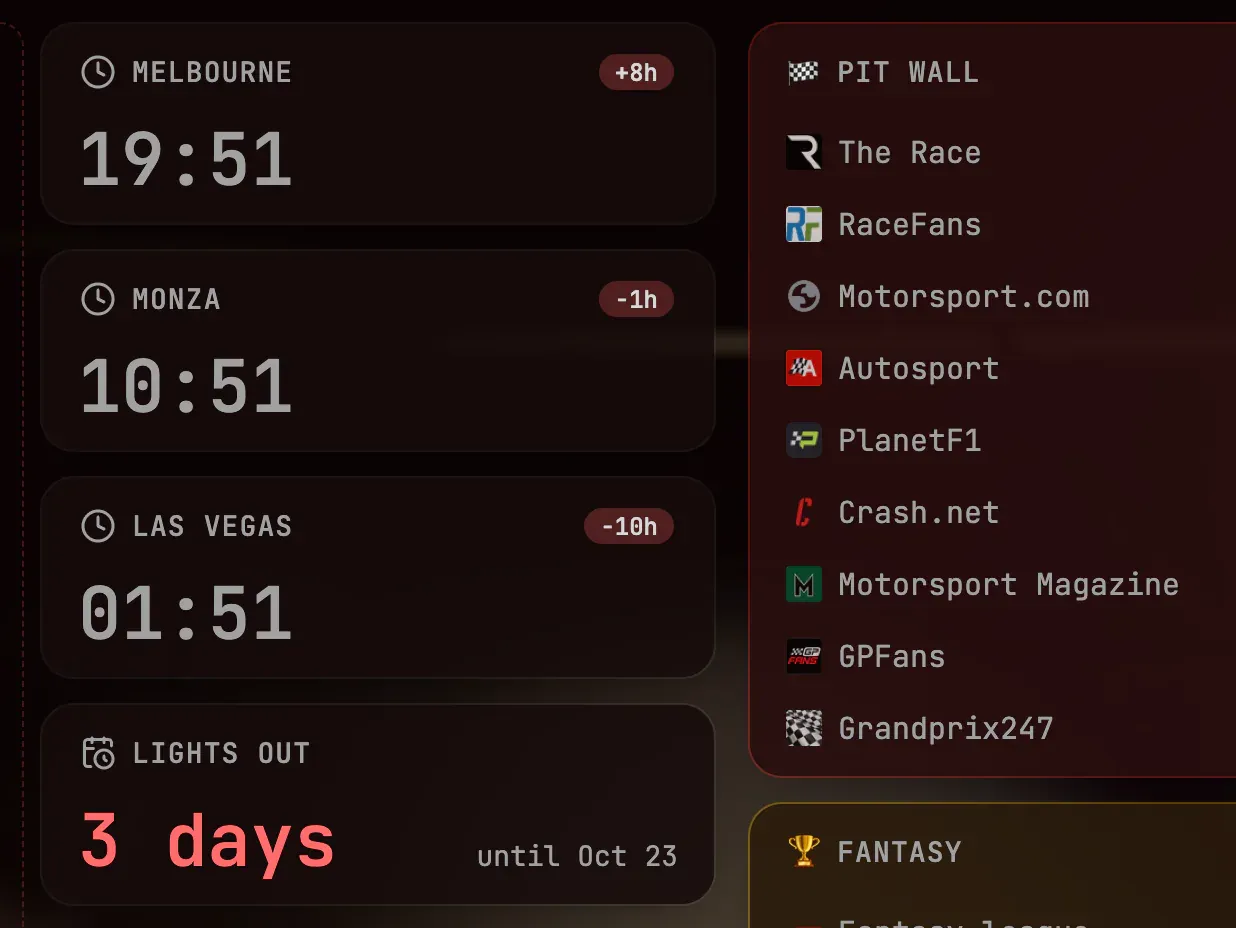
A countdown to lights out, and a clock for every circuit
Lights out is the moment the race starts, and the Countdown widget counts the days to it. Three Date & time widgets show the local time in Melbourne, Monza and Las Vegas in 24-hour format, so you never have to work out when a session begins there. A Counter tracks your fantasy points against a goal of 100 and resets every week, which means each race weekend starts clean. A note called Sunday plan holds the rest
Pitch black with a red accent
Pitch black, a monospace font and a custom red accent (#ff3b3b) make the page look like a timing screen. A dim garage photo sits behind it at 30% intensity, and folders are 12% transparent: enough to see the picture, not enough to hurt the contrast of the links
The recipe
Every setting behind the screenshots, so you can match the look
Font
Mono
Theme
Pitch black
Accent
Custom color
Background
Your own image
Layout
Compact rows
Toolbar
Docked top
Accent color
#ff3b3b
Intensity
30%
Folder transparency
12%
How to build it
Everything below works in the current release. Parts that need Pro are marked
Create a workspace named after the weekend Pro↗ Workspaces
Add three Date & time widgets and give each its own time zone Pro↗ Widgets
Add a Countdown widget set to the start of the race Pro↗ Widgets
Add a Counter widget with a goal and a weekly auto-reset Pro↗ Widgets
Choose Pitch black and the Mono font in Settings → Appearance Pro↗ Appearance
Upload a photo in Settings → Appearance → Background and keep its intensity low Pro↗ Appearance
Pick a custom accent color there, then turn on compact rows in Settings → Board & gallery Pro↗ Appearance
Your own bookmarks are not part of a setup. They stay where your browser keeps them, and the board shows them in the columns you choose
What’s free, what’s Pro
Free already gives you the compact rows, the Mono font, notes with checklists and the clock in your local time. Pro adds Pitch black, a custom accent color, comments, workspaces, the photo background, clocks in other time zones, the Countdown and the Counter
Pro comes with a 14-day trial and no card, so you can try every Pro step before you pay


 Chrome
 Edge*
Edge* Firefox
 Brave
Brave Vivaldi
 Opera
Opera