

 Chrome
 Edge
Edge Firefox
 Brave
Brave Vivaldi
 Opera
Opera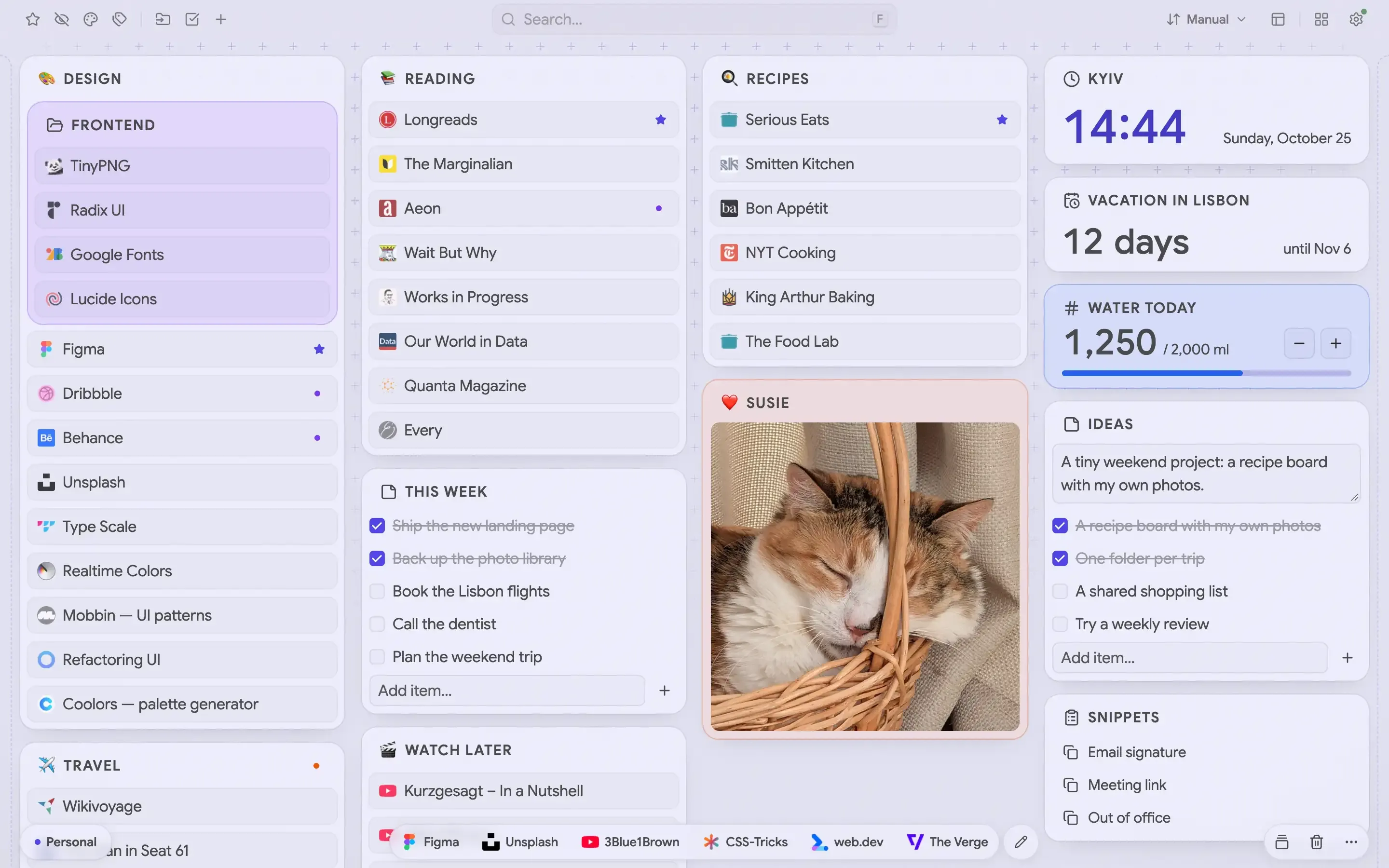

Everything your bookmarks bar can't do
See everything
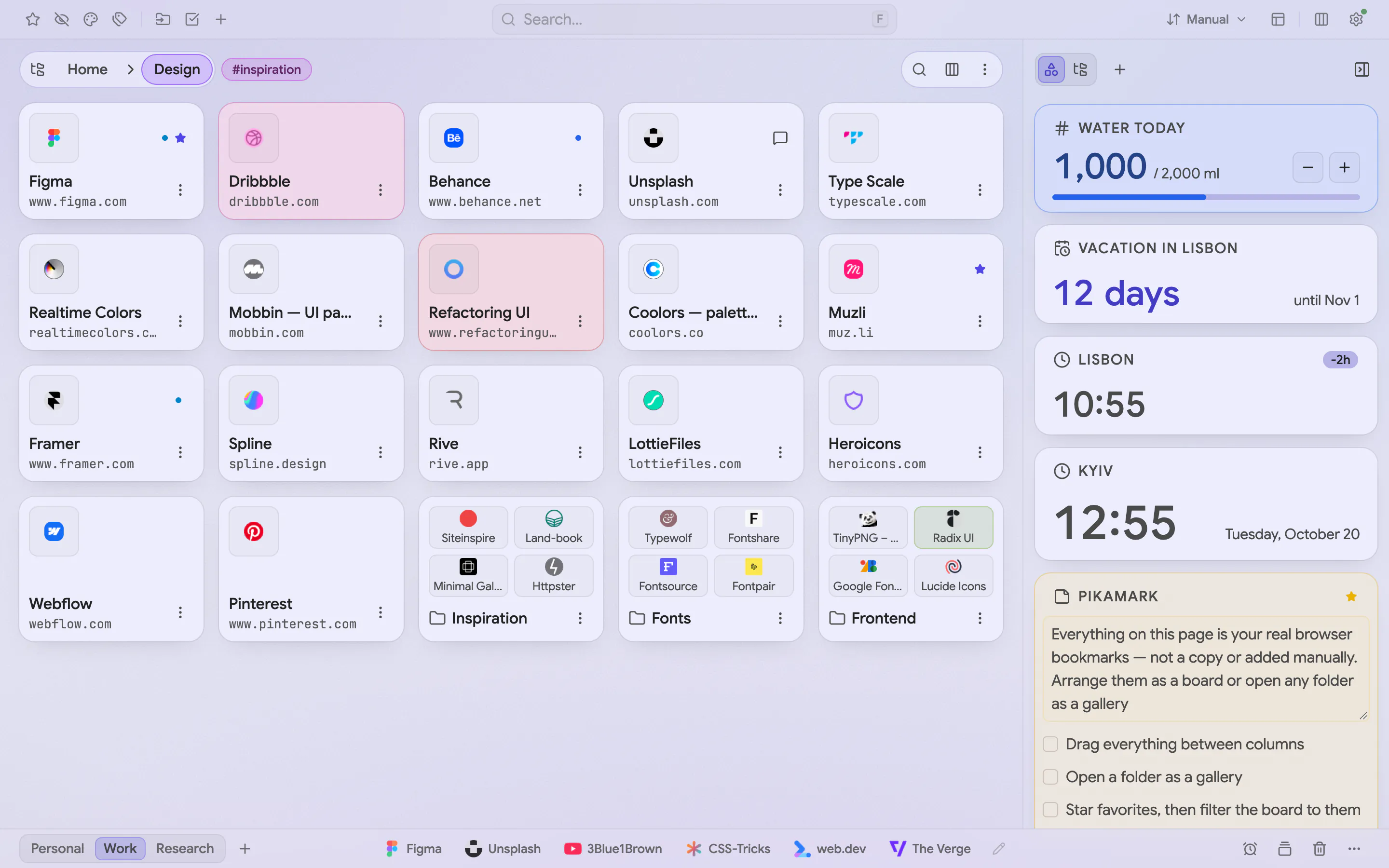
Your folders as columns you arrange by drag and drop, or any folder as a gallery of tiles. Press V to switch, and pick the layout that fits your screen
- Columns
- Gallery grid and list
- Compact rows
- Column names and colorsPro
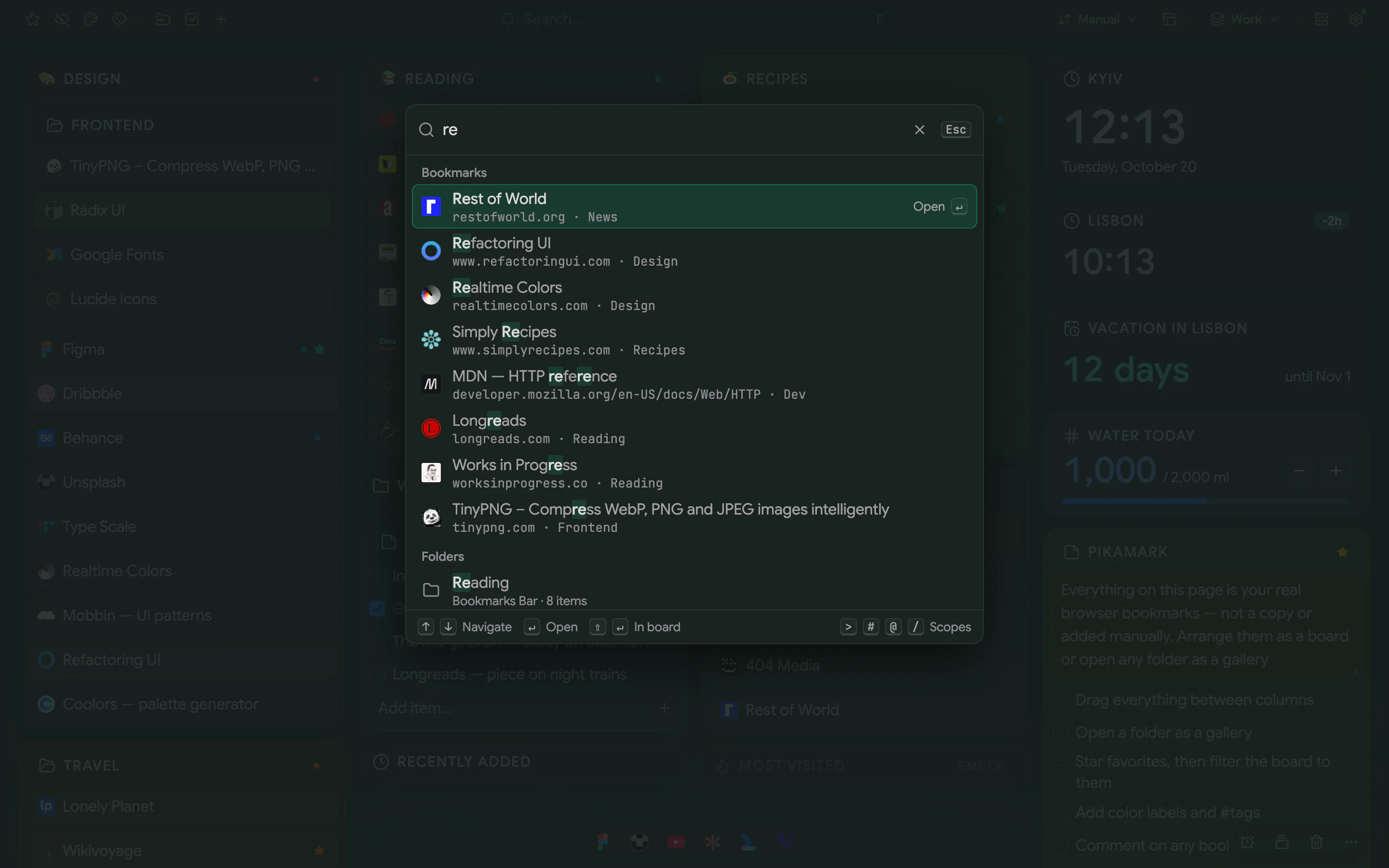
Find anything
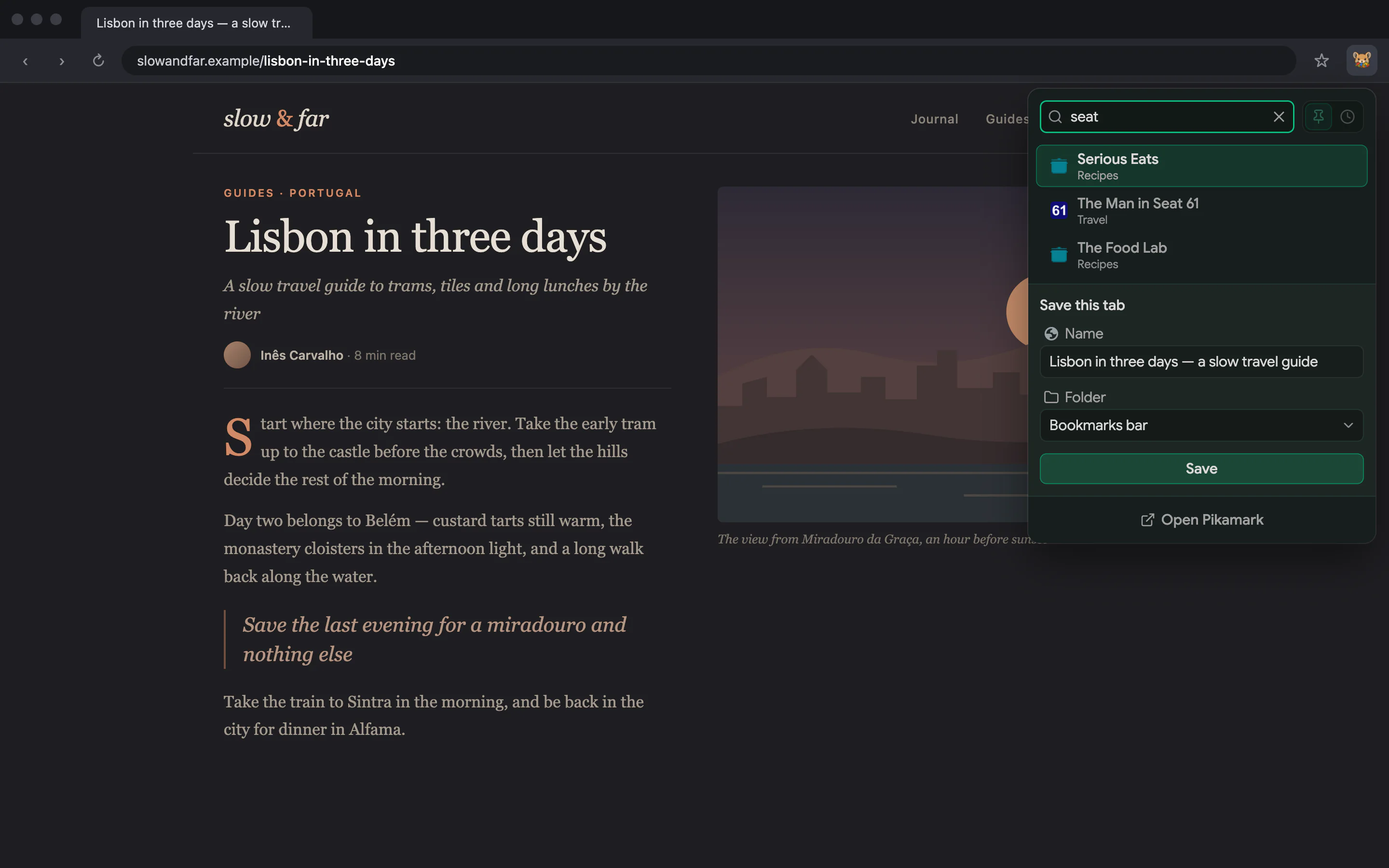
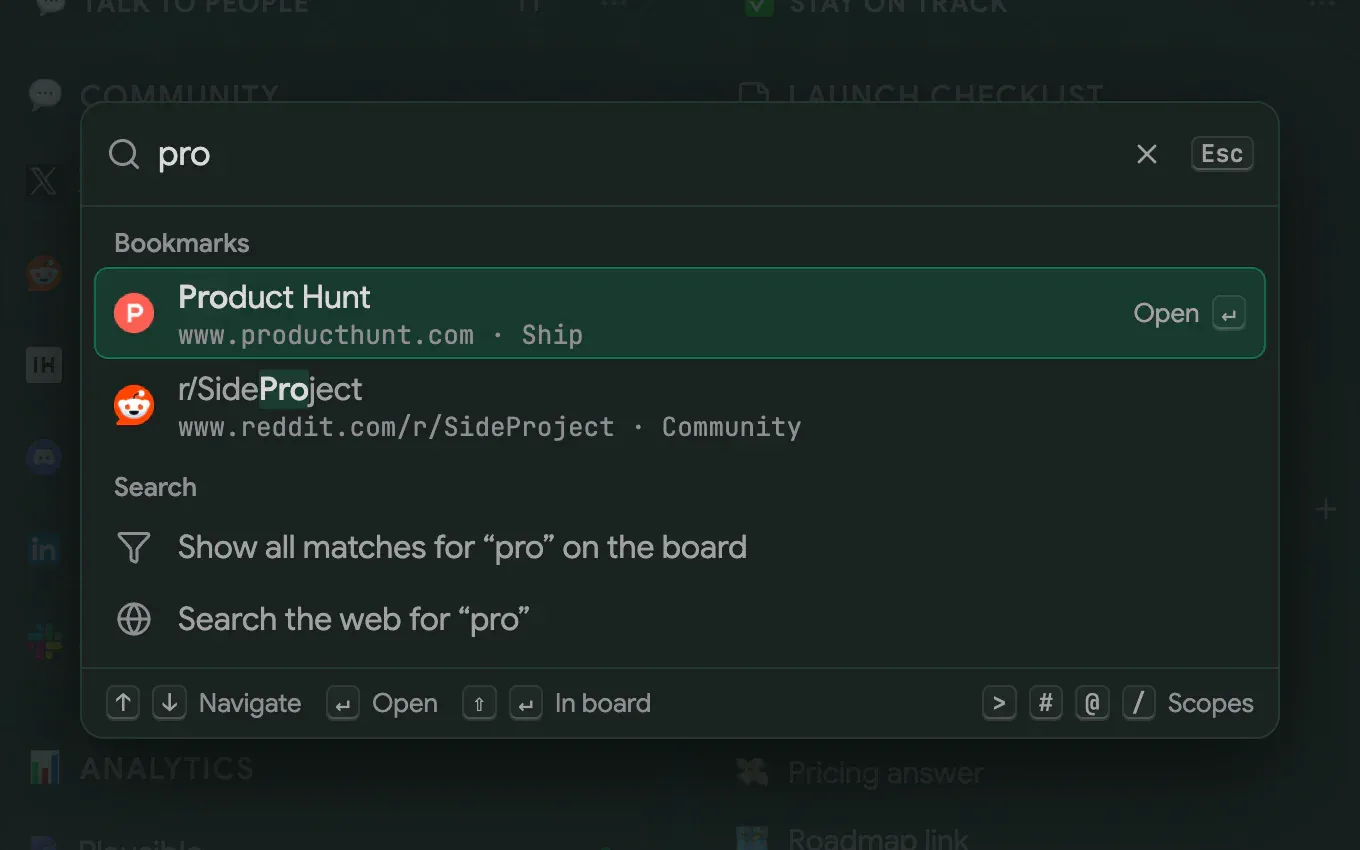
Press F for the command palette: jump to a bookmark, run an action with > or open a folder with /. Or search from the toolbar popup without opening a tab
- Command palette
- Web search
- Toolbar popup
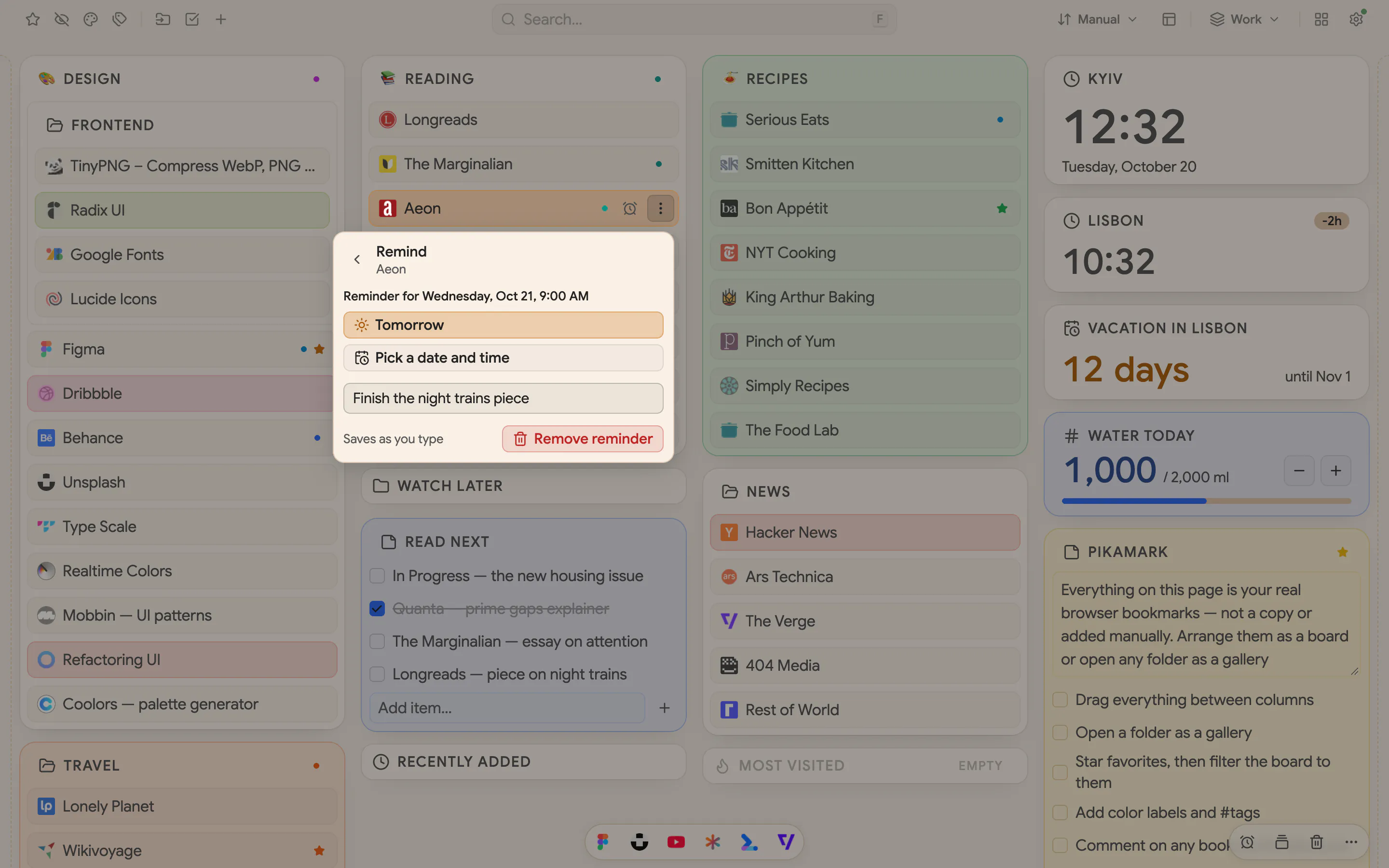
Remember why you saved it
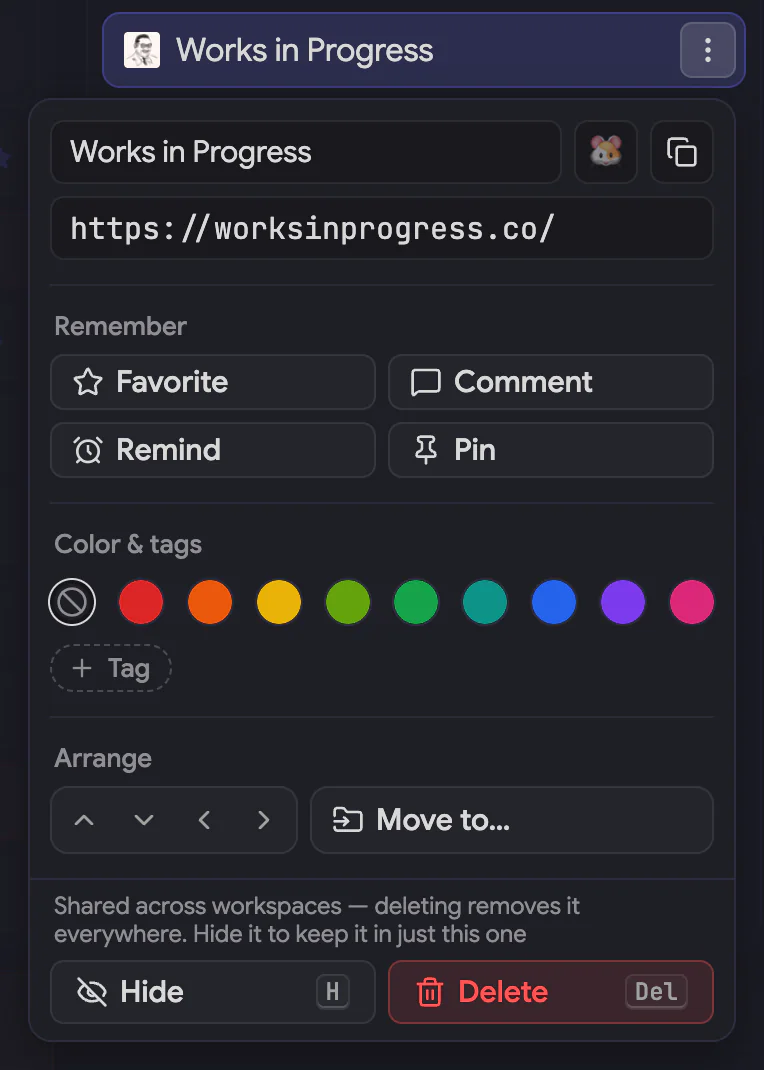
Notes and checklists sit next to your folders. Star what matters, color what's urgent, and with Pro add a comment, a reminder or tags to any link
- Notes and checklists
- Favorites and color labels
- Tags, comments, remindersPro
Make it yours
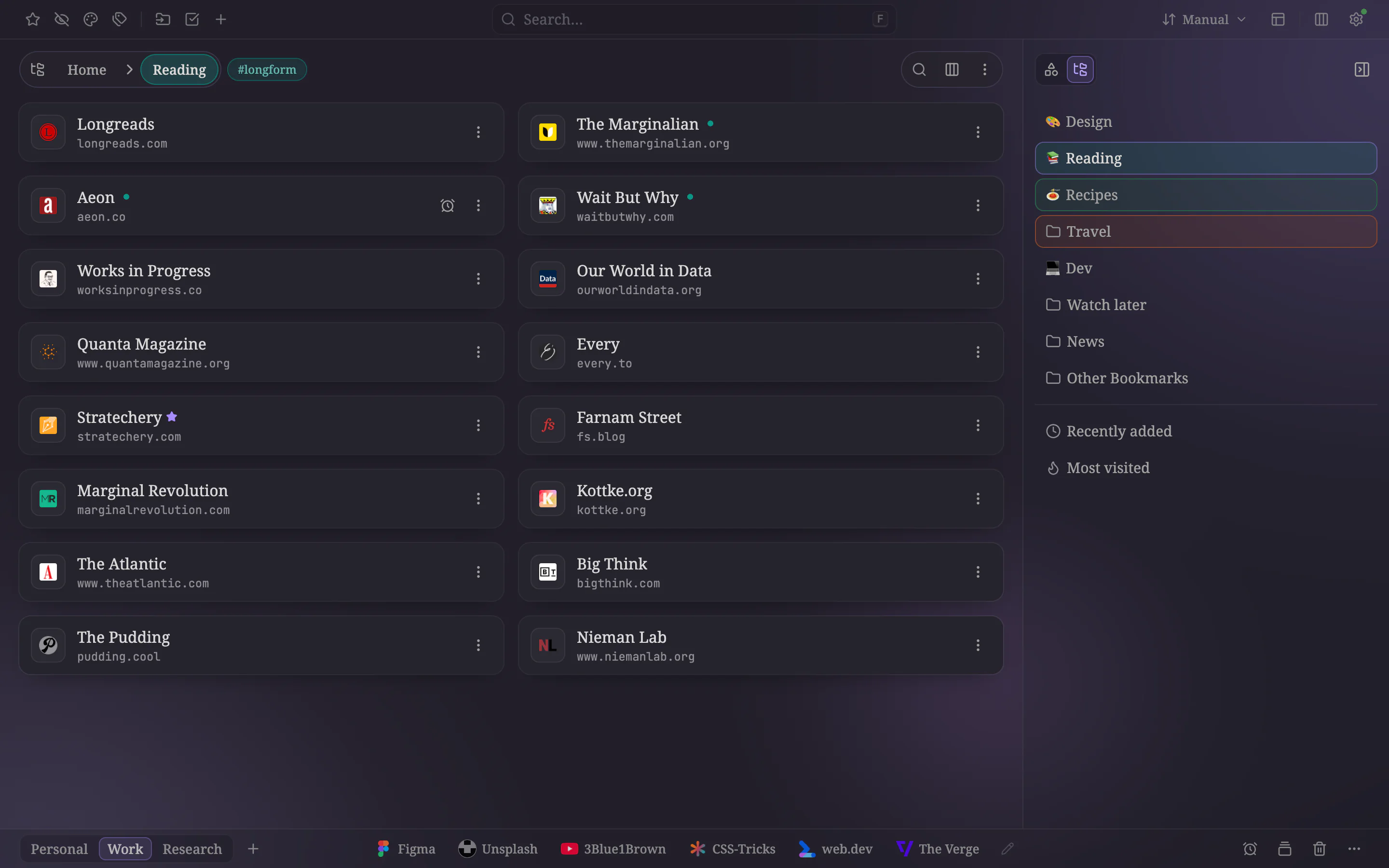
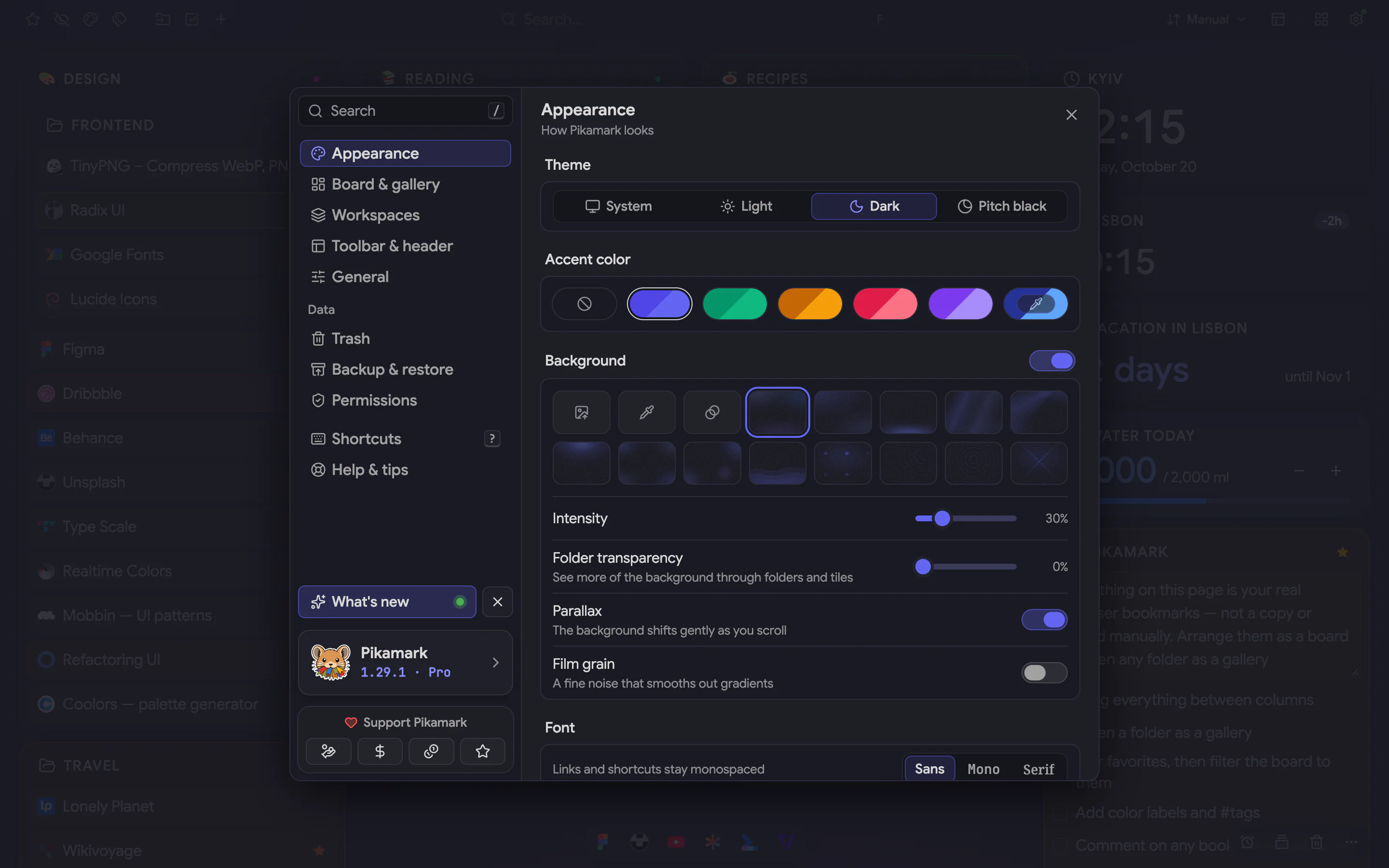
Light, dark or system, five accents, and a sans, mono or serif typeface. With Pro, add a background (a preset, your photo, a color or a gradient) with intensity, grain and parallax, and give each workspace its own look
- Themes and accents
- BackgroundsPro
- A look per workspacePro
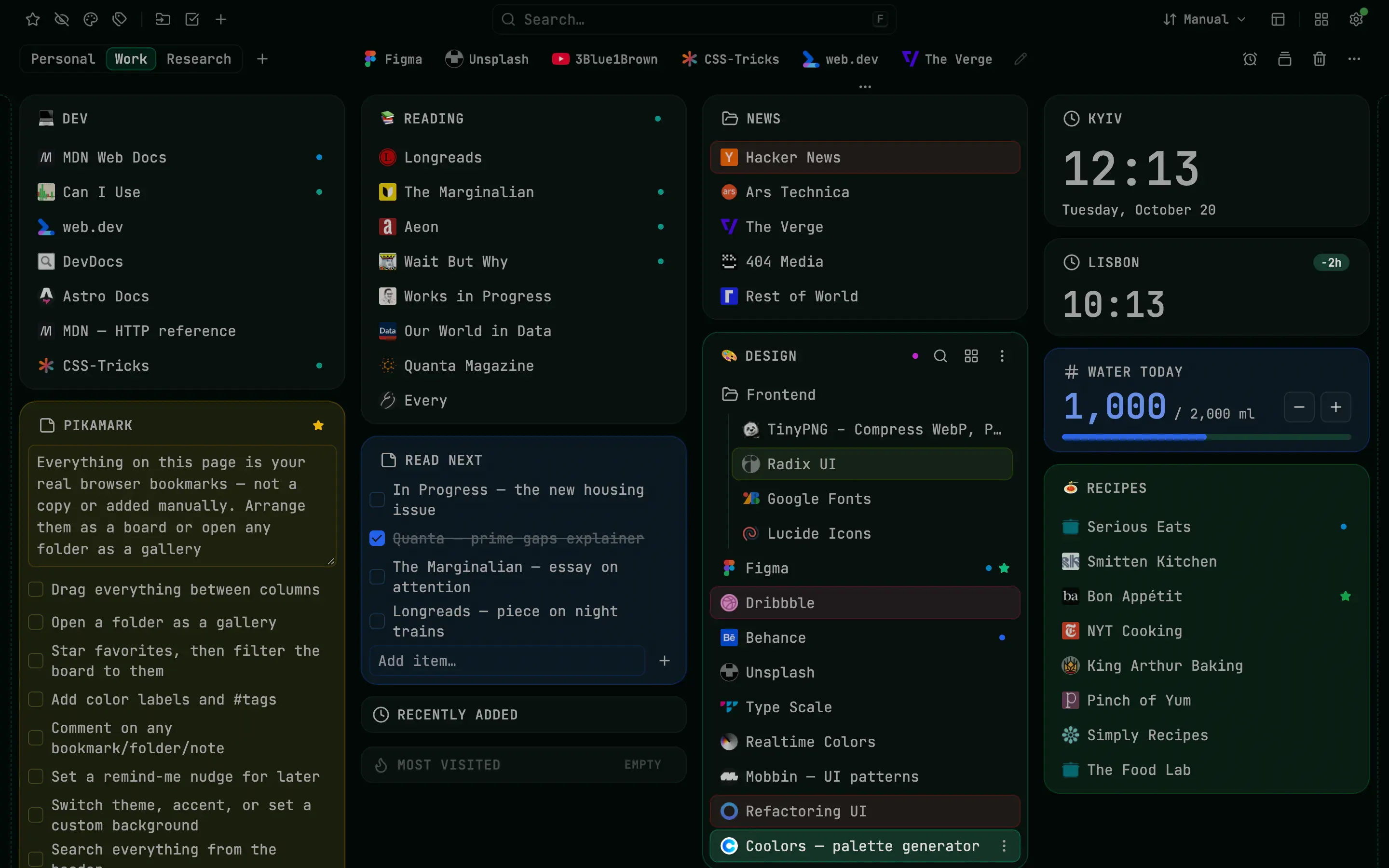
Pitch black, emeraldPro 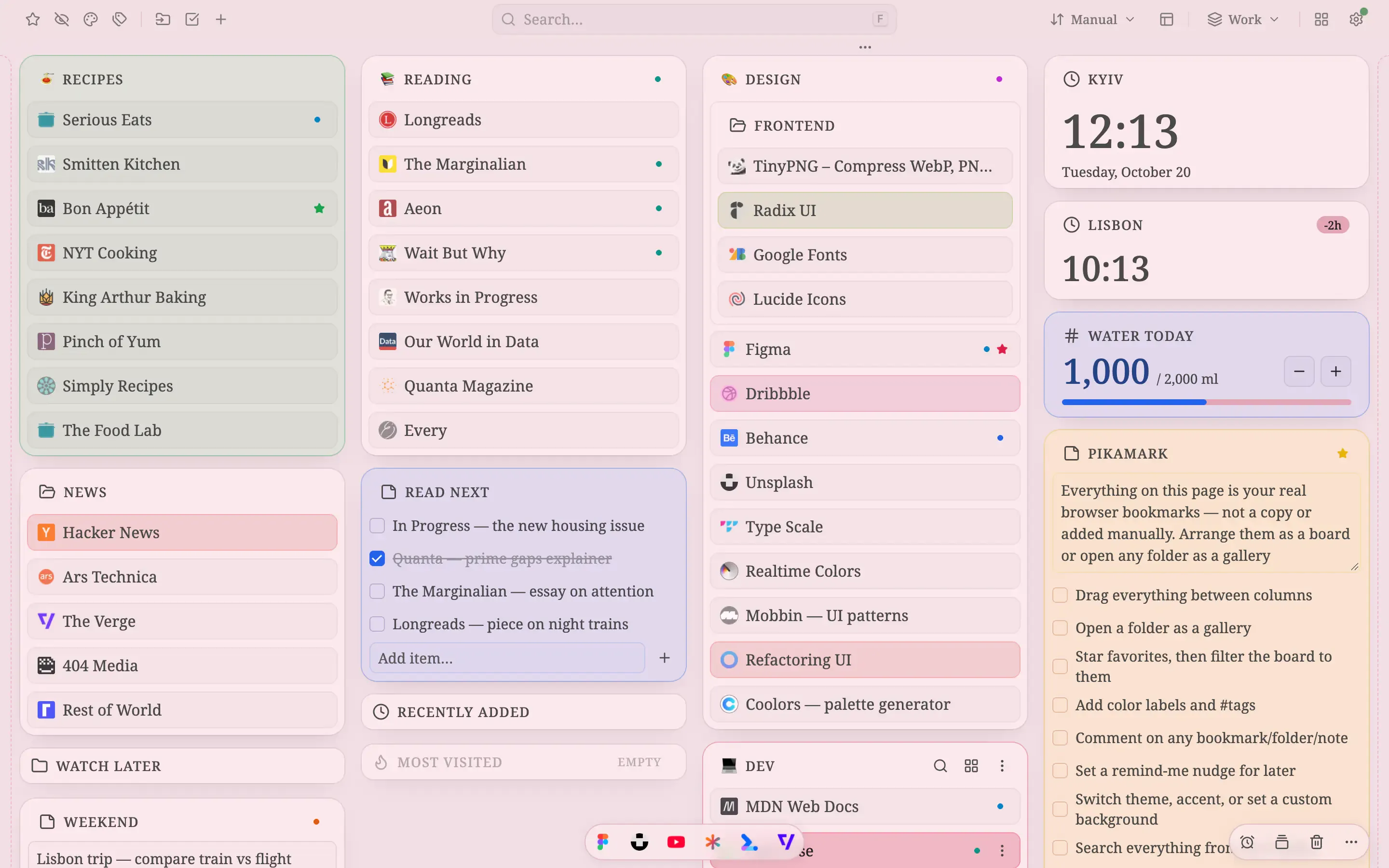
Serif font, rose 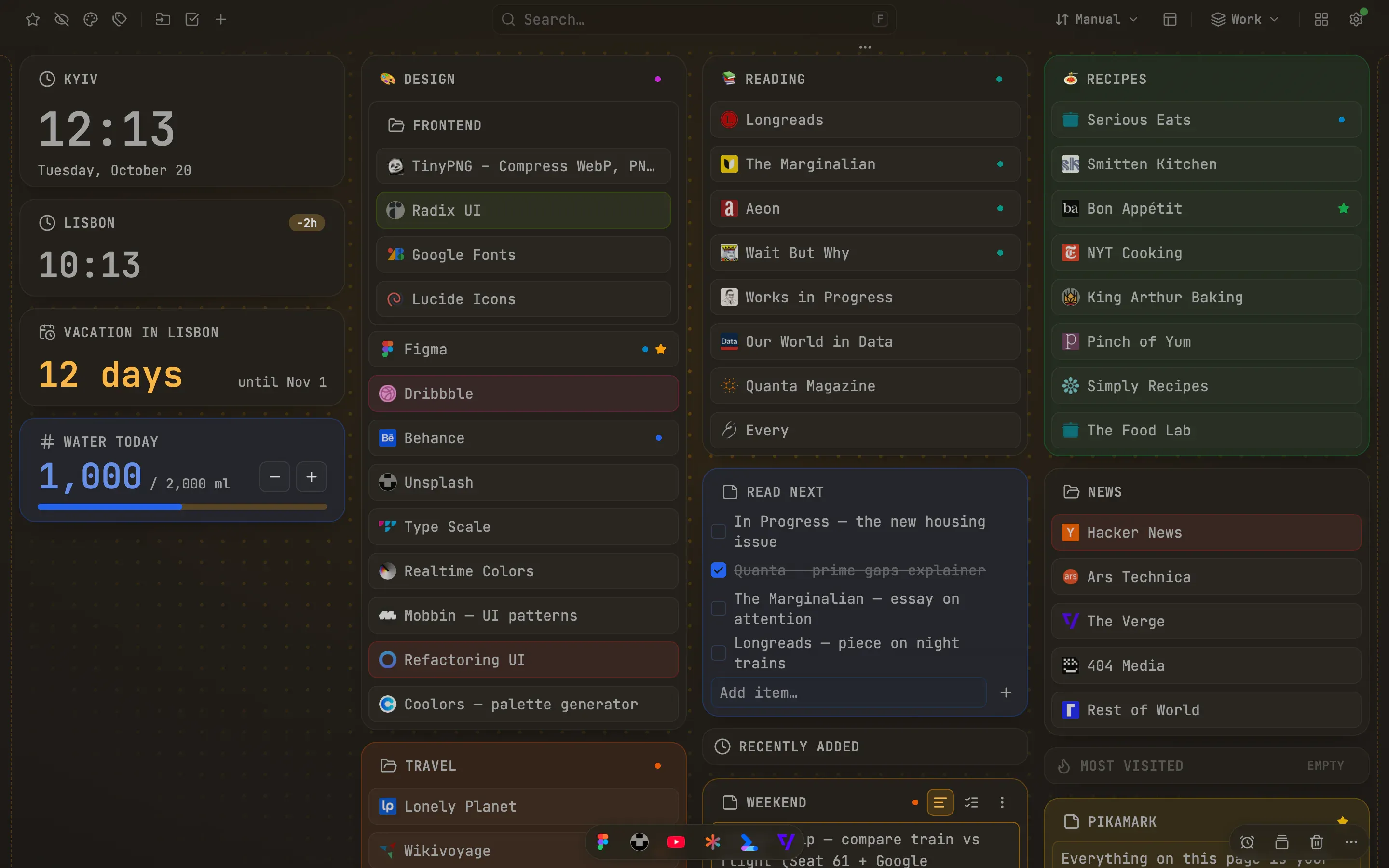
Grid background, amberPro
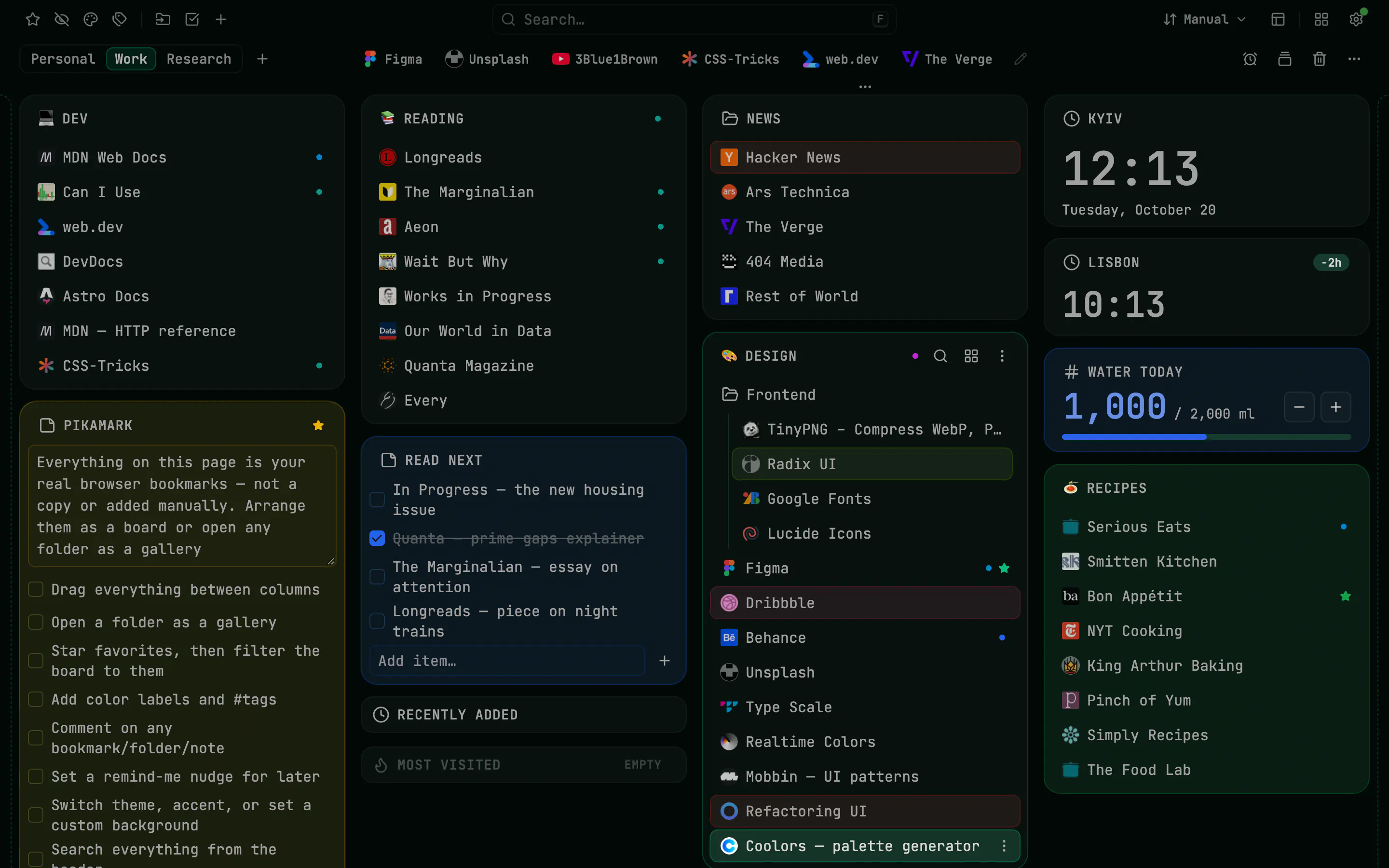
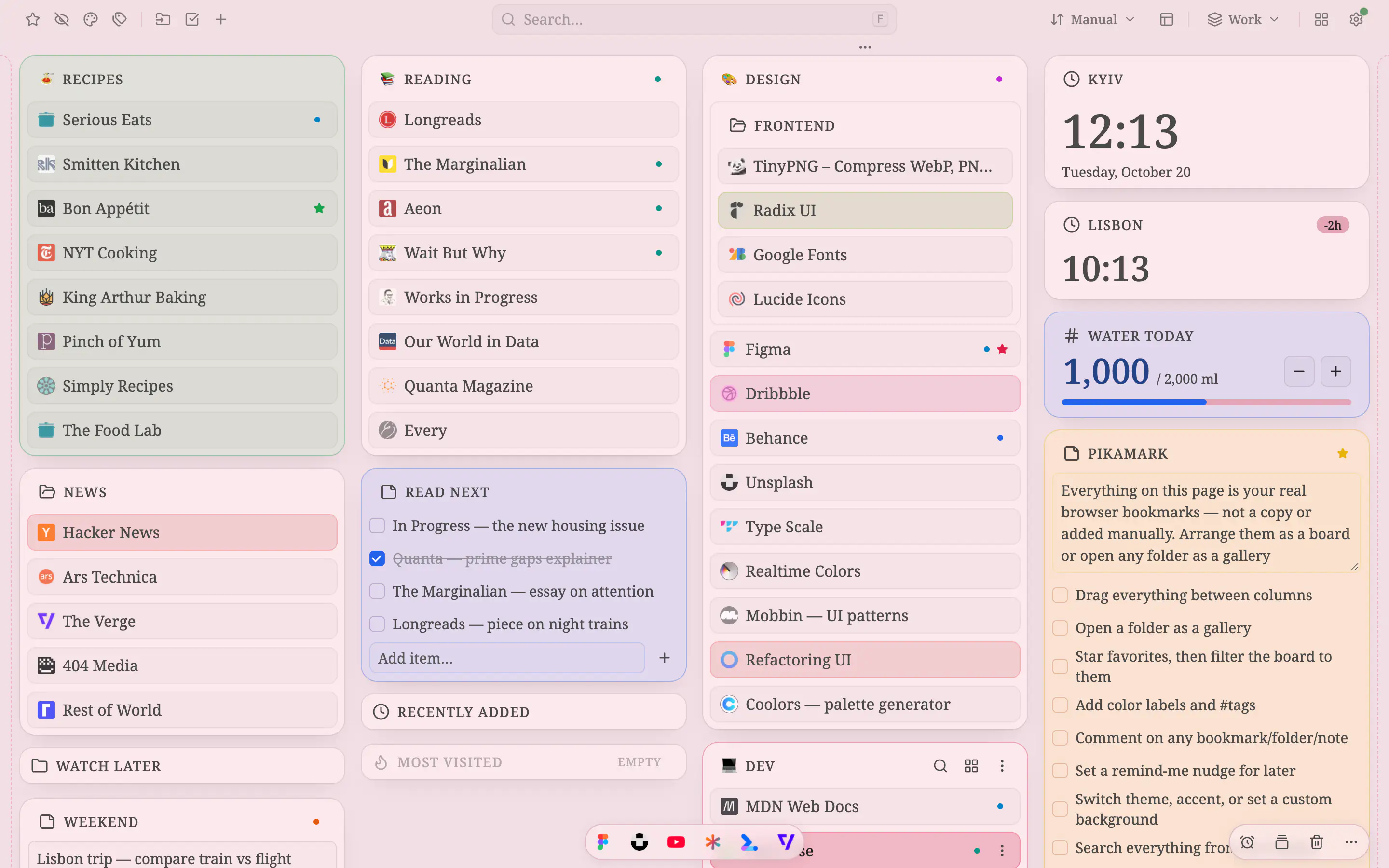
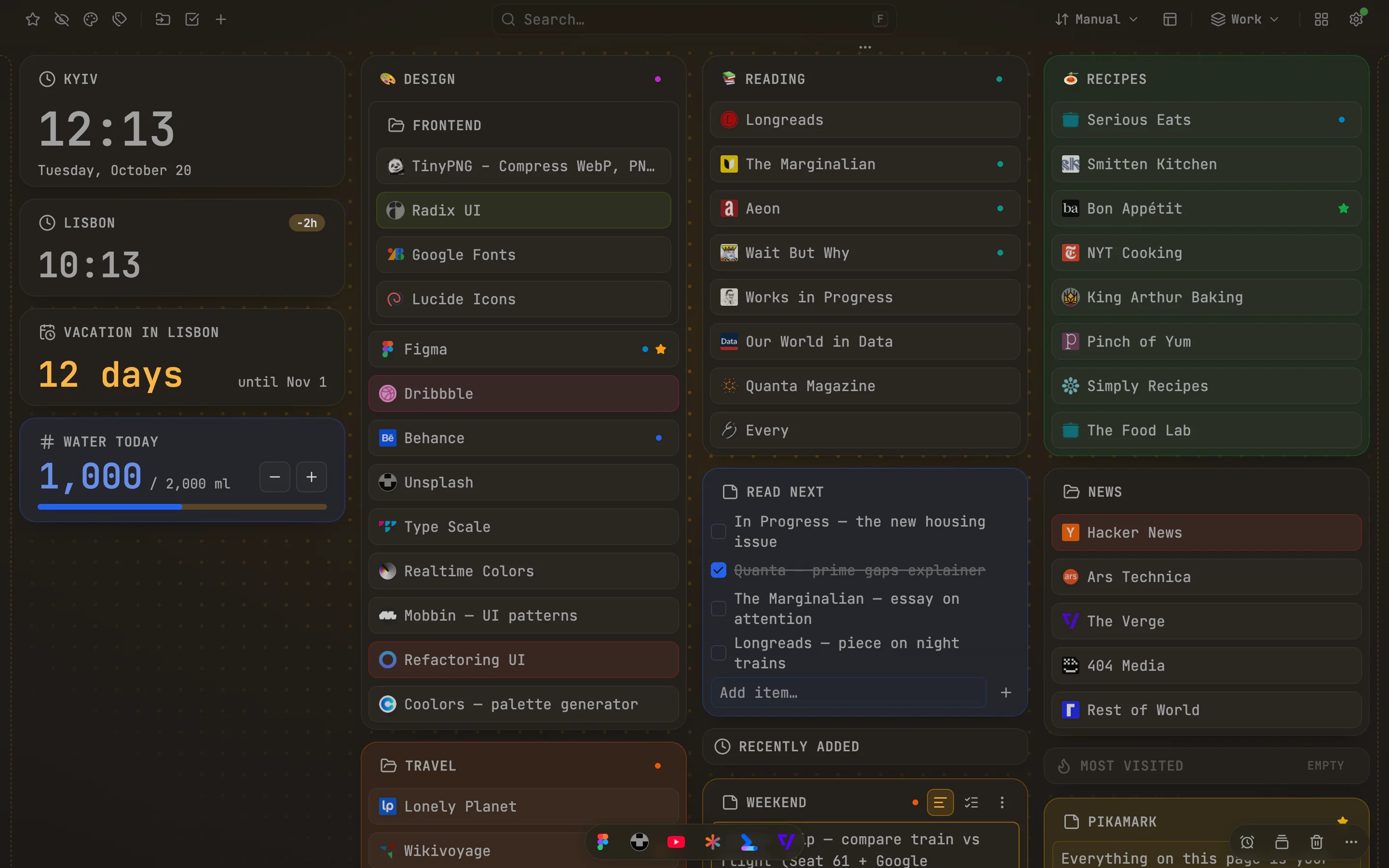
Light, dark and five accents are free. Pitch black, backgrounds and custom accents are Pro
And a lot more
Widgets on the boardPro
The date & time widget is free. Pro adds a countdown, timer, counter, snippets and a photo frame
Keep it organizedPro
With Pro: separate workspaces over the same bookmarks, pinned links and saved tab sessions
Ways to recoverPro
Undo, Trash for up to 7 days and export are free. Pro adds daily snapshots and a backup folder
Drag & drop everywhere
Reorder or move folders, bookmarks and widgets anywhere on the board, between columns or into a new one
Selection mode
Press S, pick items by click, Shift-click or drag, then favorite, color, move, delete or copy their links from one bar
Keyboard shortcuts
F opens the palette, N adds a note, V switches board and gallery, ? lists every shortcut
Keyboard and motion
Press F to search, ? to see shortcuts and Esc to step back. Control interface motion in Settings or with your system's reduced-motion preference
Open all and Move to folder
Open a whole folder in one click, or file a bookmark without dragging it across the board
Duplicate finderPro
Find bookmarks that point to the same page, see how many you have for free, and with Pro keep one copy of each while tags and favorites carry over. Undo is one click away
Discovery folders
Optional Recently added and Most visited folders that sit on the board like any other
Five languages
English, Ukrainian, Spanish, French and German, independent of your browser's language
See it set up for real life
Finished setups for a trip, a semester or a busy week, with the steps to build your own
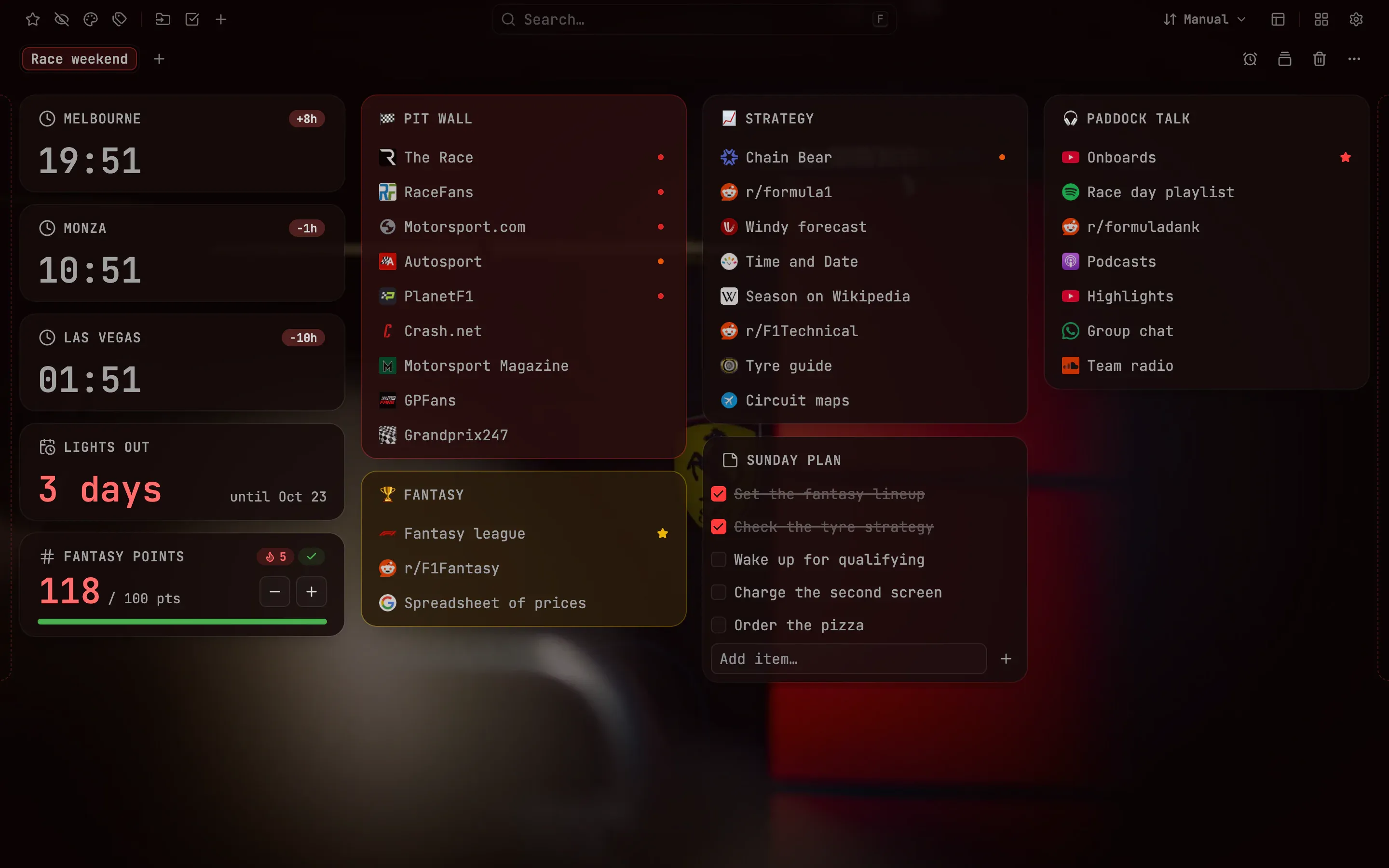 Race weekendFollow a race weekend from one page: a countdown to lights out (the start of the race), clocks for three circuits, your fantasy points and every timing link in compact rowsPro
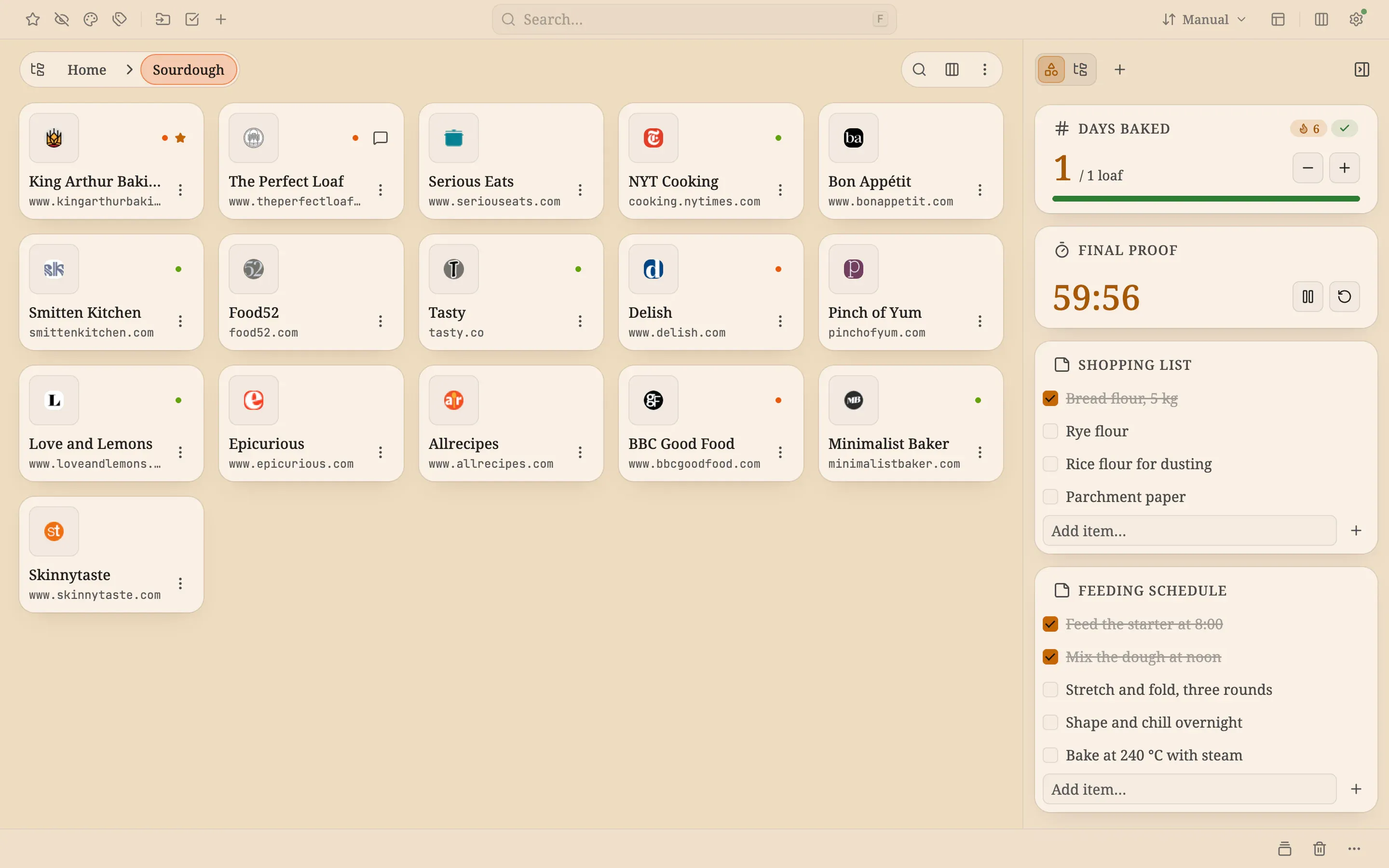 Sourdough weekKeep every recipe a click away on big tiles, run the proofing timer and watch a days-baked streak grow, all on a warm cream new tabFree + Pro
 Launch dayRun launch day from one page: a focus timer, a signups counter, ready-made replies that copy with one click and the clocks of two citiesFree + Pro
Set up your new tab in three steps
Add it to your browser
Pikamark becomes your new-tab page in Chrome, Edge, Firefox or Brave. In Vivaldi and Opera, open Pikamark from the toolbar
It picks up the bookmarks you already have
No import, no account, no copying. Your real folders show up as a board you can finally see at a glance
Arrange it however feels right
Pick a look, choose how many columns, drop in notes and widgets. Your bookmarks stay exactly where your browser keeps them
No Pikamark account. No extension analytics. Notes, tags and settings are stored locally
Browser sync, Pro licensing, Firefox site icons and links you open have separate network behavior; the policy explains it
Read the privacy policy →See every permission →Check it yourself →
What people say
4.8 on Chrome Web StoreThis extension is absolutely awesome! 🔥 I honestly haven't found anything that comes close, even though I've tried a ton of similar extensions. The default browser start page has always just made me want to close it as quickly as possible. I highly recommend giving PikaMark a try at least once - you won't regret it.One of the coolest bookmark managers that I've tried
DryFlip Доволі крутий додаток, дозволив мені привести в порядок вкладки, і побачити багато сміття яке мені тільки заважало. Класна кастомізабельність, і все на гарному рівні нативного розуміння. Дякую за розширення!
Олександр Данилюк Love it <3
Serhii Shramko Tried Pikamark and honestly, love it. New tab finally isn't just empty space — bookmarks sit in a nice draggable board, notes right there when you need them. Simple, no clutter, everything stays local. Recommend it 🙂
Oleksandr Dikhtiaruk I started using it, my first impression is simply incredible! Now I can see all my bookmarks in a convenient way!
Igor Brychuk It looks brilliant! it’s exactly what I’ve been missing in my working environment for many years
Maksym Semenenko
Questions, answered
Does it work on my real bookmarks, and what if I remove it?
Yes, on your real browser bookmarks, not a copy, so they keep syncing through your browser account. Pikamark changes a bookmark only when you ask it to. Remove the extension and every bookmark stays where it is; only the extras go (notes, tags, colors, layout), so export them first in Backup & restore if you want to keep them
How is Pikamark different from my browser's built-in bookmark manager?
It doesn't replace it, it adds another view of the same bookmarks. The built-in manager shows a list; Pikamark shows your folders as columns or a tile gallery on every new tab, with notes, favorites, color labels and a command palette (press F). Nothing is copied, so both always show the same bookmarks
Is it free?
Yes. The core is free for good: board and gallery, notes, search, favorites, color labels, and light and dark themes with five accents, with no account, no item caps and no ads. Pro is optional and adds tags, comments and reminders, workspaces, pinned links, backgrounds, automatic backups and more. Anyone who installed Pikamark before Pro existed keeps all of it for free
Do I need an account to use Pikamark?
No. There is no sign-up and no login: install the extension and your existing bookmarks appear. The free core needs nothing else, and Pro is unlocked with a license key rather than an account
Does any of my data leave my browser?
Pikamark stores notes, tags and settings locally and has no server for your bookmark collection or extension analytics. Your browser can sync bookmarks. Pro licensing contacts Freemius; Firefox can request icons from bookmarked sites. Links and web searches you open contact their destinations, and checkout runs through Freemius. See the privacy policy for details
Do my notes, tags, and layout sync between computers?
Your bookmarks sync through your browser's own account. Pikamark's extras — notes, favorites, tags, colors and layout — are stored locally on each device; use Backup & restore to move them to another computer
Can I keep work and personal separate?
Yes, with workspaces (Pro): several named boards over the same bookmarks, each with its own layout, look and notes. Switch from the toolbar or header, or type @ in the command palette
Can I get back something I deleted by accident?
Use Undo while its notice is visible. Settings → Trash can keep deleted bookmarks, folders and notes for up to 7 days, normally at most 20 entries within a size limit; older entries can be removed sooner. A missing parent folder sends restored bookmarks to the Bookmarks Bar, and their tags, labels and other metadata do not return. For older mistakes, use a backup made before deletion: exporting afterward cannot bring deleted data back. The manual explains the limits
How does Pikamark load my bookmarks?
Your bookmarks are read straight from the browser and the board runs locally. Pro licensing can make requests after the page has drawn, including checks after activation, renewal checks and retries. Firefox can also load icons from bookmarked sites; you can turn this off in Settings
Why does Edge disable it right after I install it?
Edge may disable extensions that change the new-tab page. If Pikamark is off, open edge://extensions, find it and turn it on, then check a new tab
See the step-by-step guideCan I keep my browser's normal new tab?
Yes. Decline the browser's prompt to replace the new tab, then click the toolbar icon and Open Pikamark, and bookmark the page it opens. Search and Save this tab in the popup work the same either way
Which browsers does Pikamark work in?
Chrome, Firefox and Edge, plus Brave, Vivaldi and Opera, which install the same Chrome Web Store version. In Chrome, Edge, Firefox and Brave it becomes the new-tab page; in Vivaldi and Opera it opens from the toolbar icon instead
Does it work on mobile?
Pikamark is available for desktop Chrome, Firefox, Edge, Brave, Vivaldi and Opera. There is no supported mobile version of Pikamark
For desktop browsers
Install