For the traveller who is already learning the language

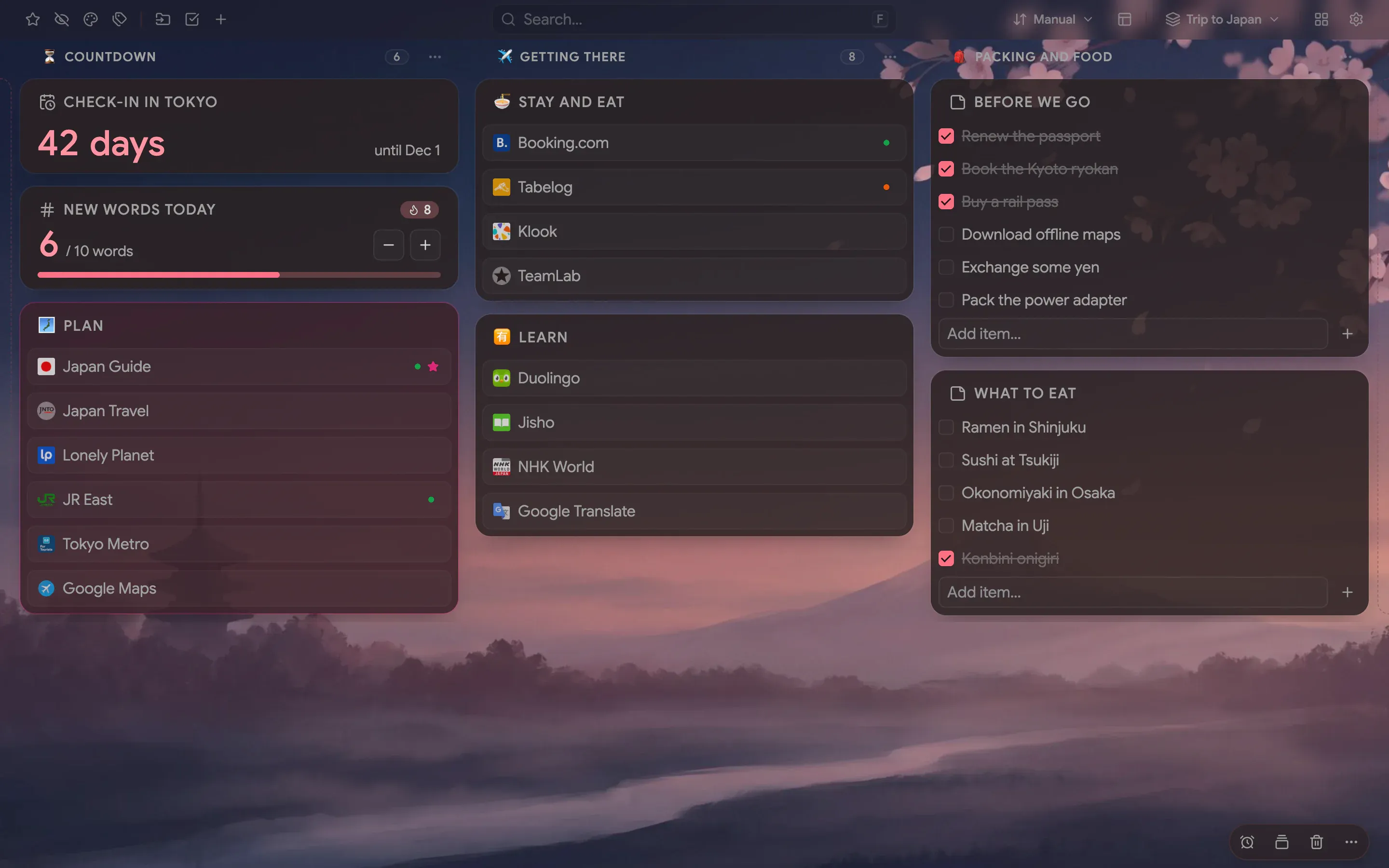
A Trip to Japan board over a dusk painting of Mount Fuji, with see-through folders in three named columns, a check-in countdown, a word counter and checklists

Close-ups

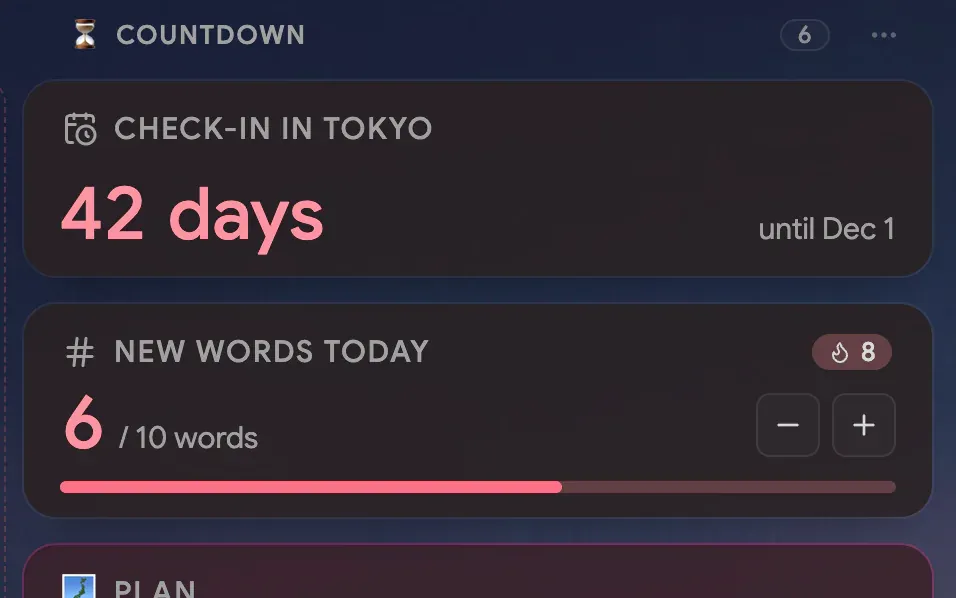
  • A countdown of 42 days to check-in above a counter of six new words today with an eight-day streak
    A countdown and a counter: days to go and words learned today
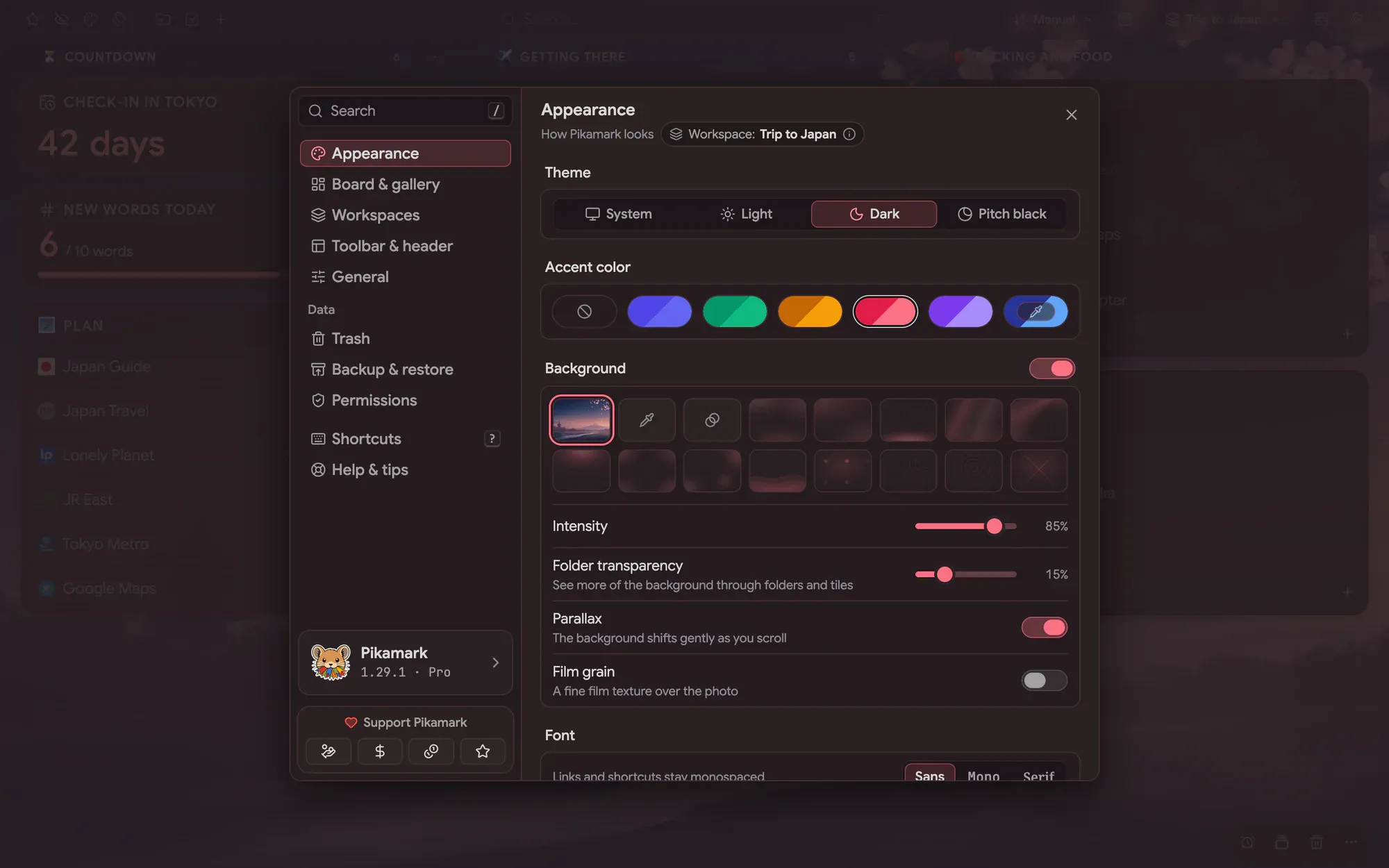
  • Settings open on Appearance with an uploaded painting selected as the background
    Appearance → Background: your own image behind the board

Plan a trip from your new tab

A trip to Japan comes with loose ends: a rail pass to buy, a ryokan to book, maps to download and a language you meant to start months ago. This setup puts all of it on the page you open dozens of times a day

The board has three named columns. Countdown holds the days to check-in, Getting there holds the guides, maps and bookings, and Packing and food holds two checklists: what to do before you leave and what to eat once you land. Your bookmarks stay in the browser, and the board shows them only where you place them

Learn the language with a daily counter

Ten new words a day is easy to promise and easy to forget. The Counter widget has a goal of ten, resets itself every morning and keeps a streak of the days you reached it. Next to it, the Countdown shows how many days are left until check-in, and counts the days since once you have landed

A background made for the trip

Upload any painting or photo as the board background. Here it is a dusk view of Mount Fuji at 85% intensity, with Folder transparency at 15% so the picture shows between the links. The accent is Rose, the font is sans and the toolbar floats. The recipe below lists every value, so you can match the look

The recipe

Every setting behind the screenshots, so you can match the look

Font
Sans
Theme
Dark
Accent
Rose
Background
Your own image
Layout
Columns
Toolbar
Floating
Intensity
85%
Folder transparency
15%

How to build it

Everything below works in the current release. Parts that need Pro are marked

  1. Create a workspace named after the trip Pro ↗ Workspaces
  2. Upload your own image in Settings → Appearance → Background Pro ↗ Appearance
  3. Raise Folder transparency in the same place until the painting shows through Pro ↗ Appearance
  4. Add a Countdown widget and set it to check-in day Pro ↗ Widgets
  5. Add a Counter widget with a goal of 10 and a daily auto-reset Pro ↗ Widgets
  6. Name each column and give it an icon: open its ⋯ menu Pro ↗ The board and columns
  7. Add two notes with checklists: Before we go, and What to eat ↗ Notes
  8. Keep bookings and maps in a Trip folder on your bookmarks bar

Your own bookmarks are not part of a setup. They stay where your browser keeps them, and the board shows them in the columns you choose

What’s free, what’s Pro

Free already covers the checklists: notes with tick boxes, and the board over your own bookmarks. Pro adds the workspace, your own background, folder transparency, column names and icons, and the Countdown and Counter widgets

Pro comes with a 14-day trial and no card, so you can try every Pro step before you pay

Trip to Japan

Build this setup

Install free, try Pro for 14 days, no card

Edge disables new-tab extensions after install — here's how to turn Pikamark back on

Read the manual

Free core · No account · Chrome, Firefox, Edge, Brave, Vivaldi and Opera