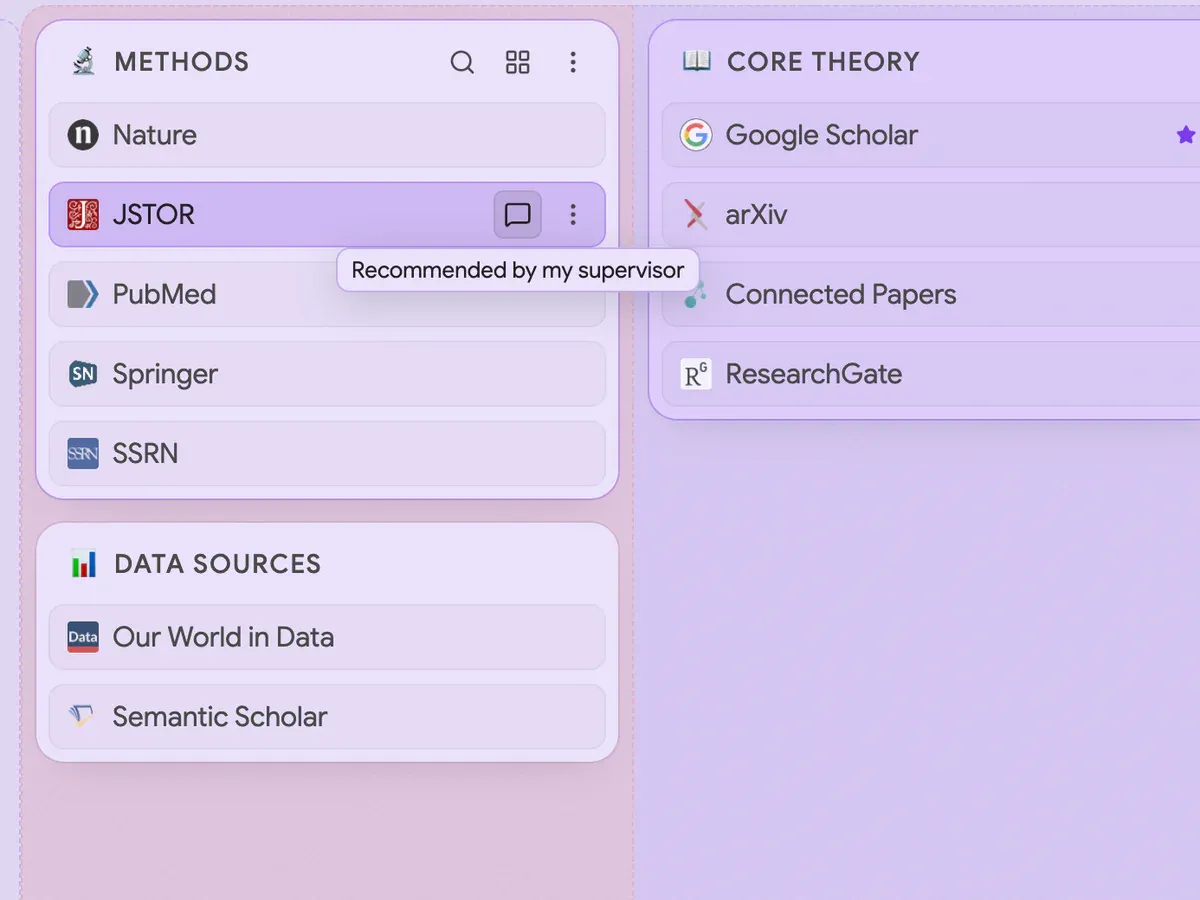
A comment on a paper: the one thing to remember about it
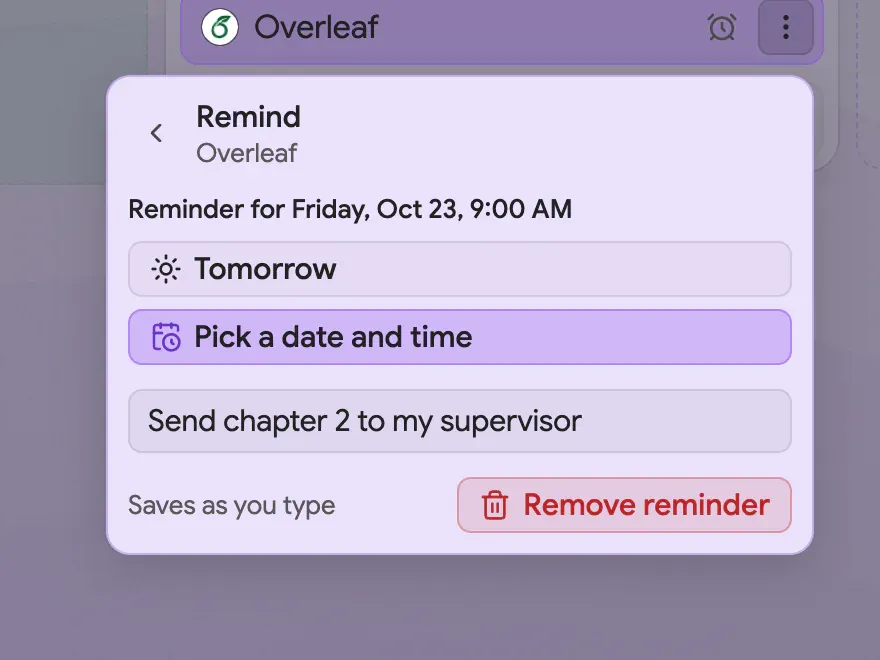
A reminder on a link: due dates live next to the thing they are about
Organise thesis reading in a new tab
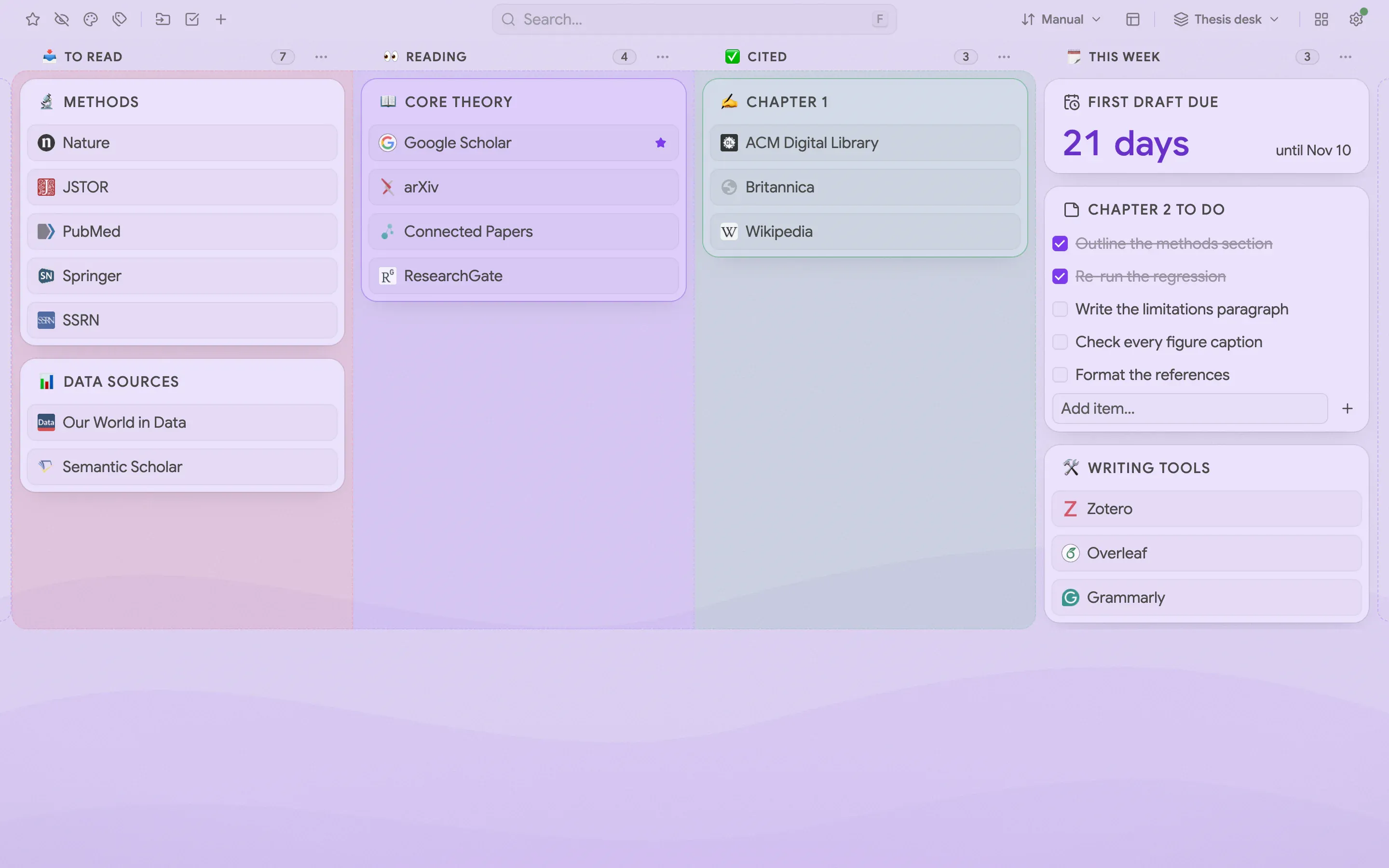
A thesis often starts as forty open tabs of papers. A reading pipeline makes them manageable: four named columns, To read, Reading, Cited and This week, each with its own icon and color. A paper moves one column to the right as you work through it, and you see at a glance what is left. Folders such as Methods, Data sources and Core theory hold the papers, and a Writing tools folder keeps your editor and reference manager close. A pale lilac Waves background keeps the page restful over long writing days
Comments, reminders and a countdown to the first draft
A comment on a link is a note to yourself that shows on hover: “Recommended by my supervisor” is enough to remember why a paper matters. A reminder on a link, such as “Send chapter 2 to my supervisor”, comes back when it is due, next to the thing it is about, not in a calendar you forgot to open. The Countdown widget shows how many days are left until the first draft is due, and a checklist note holds what remains of the chapter you are writing
The recipe
Every setting behind the screenshots, so you can match the look
Font
Sans
Theme
Light
Accent
Violet
Background
Aurora
Layout
Columns
Toolbar
Off
Intensity
35%
How to build it
Everything below works in the current release. Parts that need Pro are marked
Add a Countdown widget set to the draft deadline Pro↗ Widgets
Add a note with a checklist for the chapter you are writing ↗ Notes
Your own bookmarks are not part of a setup. They stay where your browser keeps them, and the board shows them in the columns you choose
What’s free, what’s Pro
Free already covers the reading pipeline: columns holding folders of papers, and notes with checklists. Pro adds the workspace, column names with icons and colors, comments, reminders and the Countdown
Pro comes with a 14-day trial and no card, so you can try every Pro step before you pay


 Chrome
 Edge*
Edge* Firefox
 Brave
Brave Vivaldi
 Opera
Opera