For the solo founder answering every comment on launch day

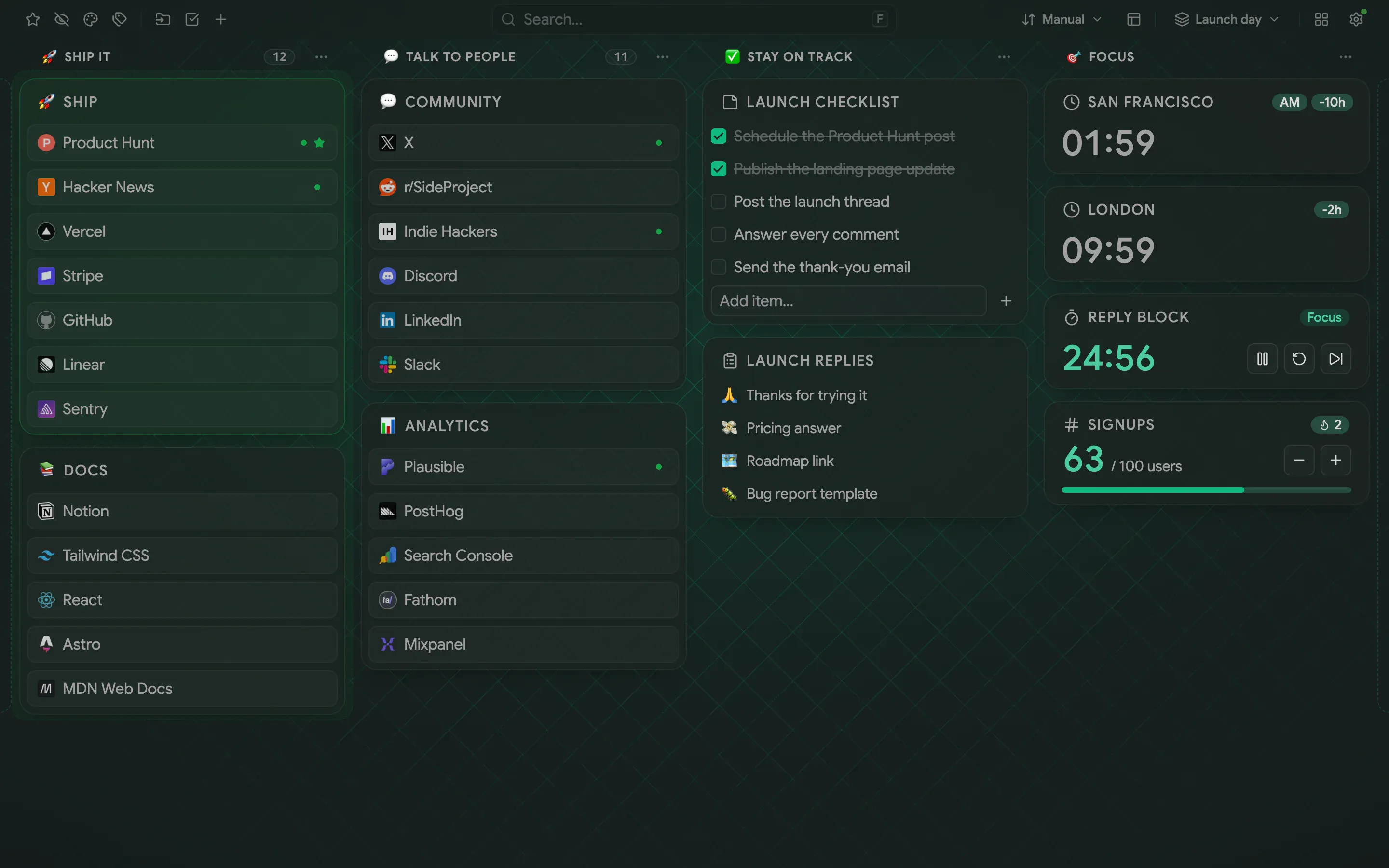
A dark emerald board on a grid background: four named columns of folders, a checklist, snippets, two city clocks, a focus timer and a signups counter

Close-ups

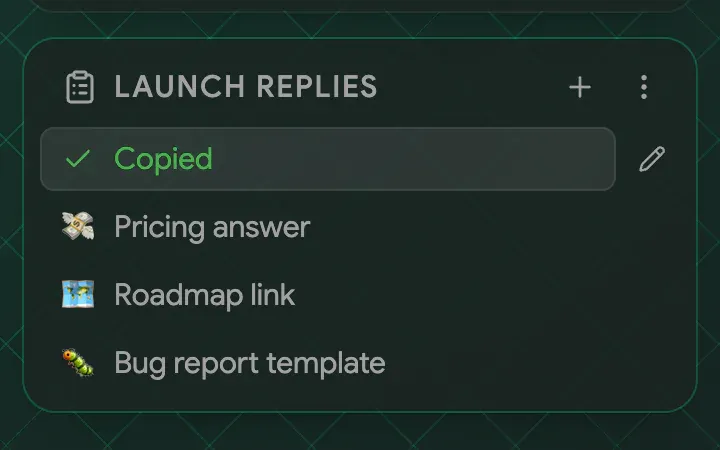
  • The Launch replies snippets card with the first snippet showing a Copied confirmation
    Snippets: click a reply and it is on your clipboard
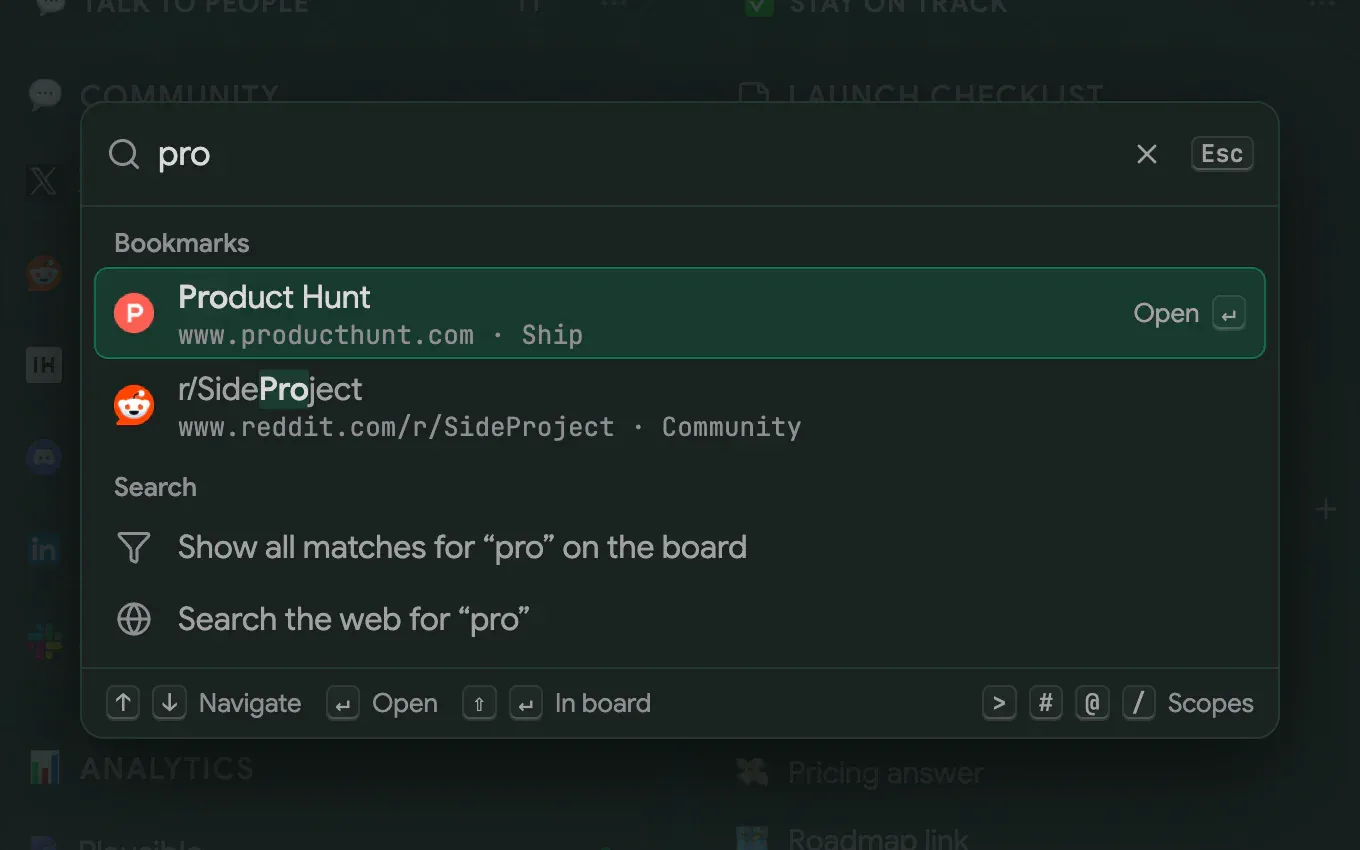
  • The command palette searching for “pro” and listing Product Hunt and a subreddit
    Search: jump to any launch link in a few keystrokes

Run a product launch from one new tab

On launch day a solo founder answers comments, watches signups, checks analytics and tries to stay focused, all at once. This board splits the work into four named columns: Ship it, Talk to people, Stay on track and Focus. The Ship, Docs, Community and Analytics folders sit on the left, the Launch checklist and the snippets in the middle, the clocks, timer and counter on the right. A dark theme, an emerald accent, the Grid background and slightly see-through folders keep it easy on the eyes through a long day

A focus timer, a signups counter and ready-made replies

The Timer widget runs in Pomodoro mode, 25 minutes of focus and 5 of break, so replies get done in blocks instead of all day. The Counter tracks Signups against a goal of 100 and resets every day. The Snippets widget, named Launch replies, stores the answers you type again and again. One click copies a reply to the clipboard, so a thank-you or a bug-report answer takes seconds. Two Date & time widgets show San Francisco and London, where your audience is

Click the search box in the header to open the command palette, type “pro” and jump straight to Product Hunt or the subreddit. No folder digging while the comments pile up

The recipe

Every setting behind the screenshots, so you can match the look

Font
Sans
Theme
Dark
Accent
Emerald
Background
Grid
Layout
Columns
Toolbar
Off
Intensity
100%
Folder transparency
25%

How to build it

Everything below works in the current release. Parts that need Pro are marked

  1. Create a workspace named after the launch Pro ↗ Workspaces
  2. Pick the Grid preset in Settings → Appearance → Background Pro ↗ Appearance
  3. Raise Folder transparency in the same place so the grid shows through Pro ↗ Appearance
  4. Add two Date & time widgets with the time zones of your audience Pro ↗ Widgets
  5. Add a Timer widget in Pomodoro mode and start a focus block Pro ↗ Widgets
  6. Add a Counter widget for signups with a goal of 100 Pro ↗ Widgets
  7. Add a Snippets widget and save the replies you send again and again Pro ↗ Widgets
  8. Name the four columns and give each an icon: open the column’s ⋯ menu Pro ↗ The board and columns
  9. Click the search box in the header to open the command palette and jump to a link ↗ Command palette

Your own bookmarks are not part of a setup. They stay where your browser keeps them, and the board shows them in the columns you choose

What’s free, what’s Pro

Free already covers the command palette, notes with checklists, the dark theme with an accent color and the local-time clock. Pro adds the workspace, the Grid background, folder transparency, column names and icons, clocks in other time zones and the Timer, Counter and Snippets widgets

Pro comes with a 14-day trial and no card, so you can try every Pro step before you pay

Launch day

Build this setup

Install free, try Pro for 14 days, no card

Edge disables new-tab extensions after install — here's how to turn Pikamark back on

Read the manual

Free core · No account · Chrome, Firefox, Edge, Brave, Vivaldi and Opera