Sessions: bring back a whole set of tabs in one click
Type # in the palette and the board narrows to one tag
A literature sprint on one page
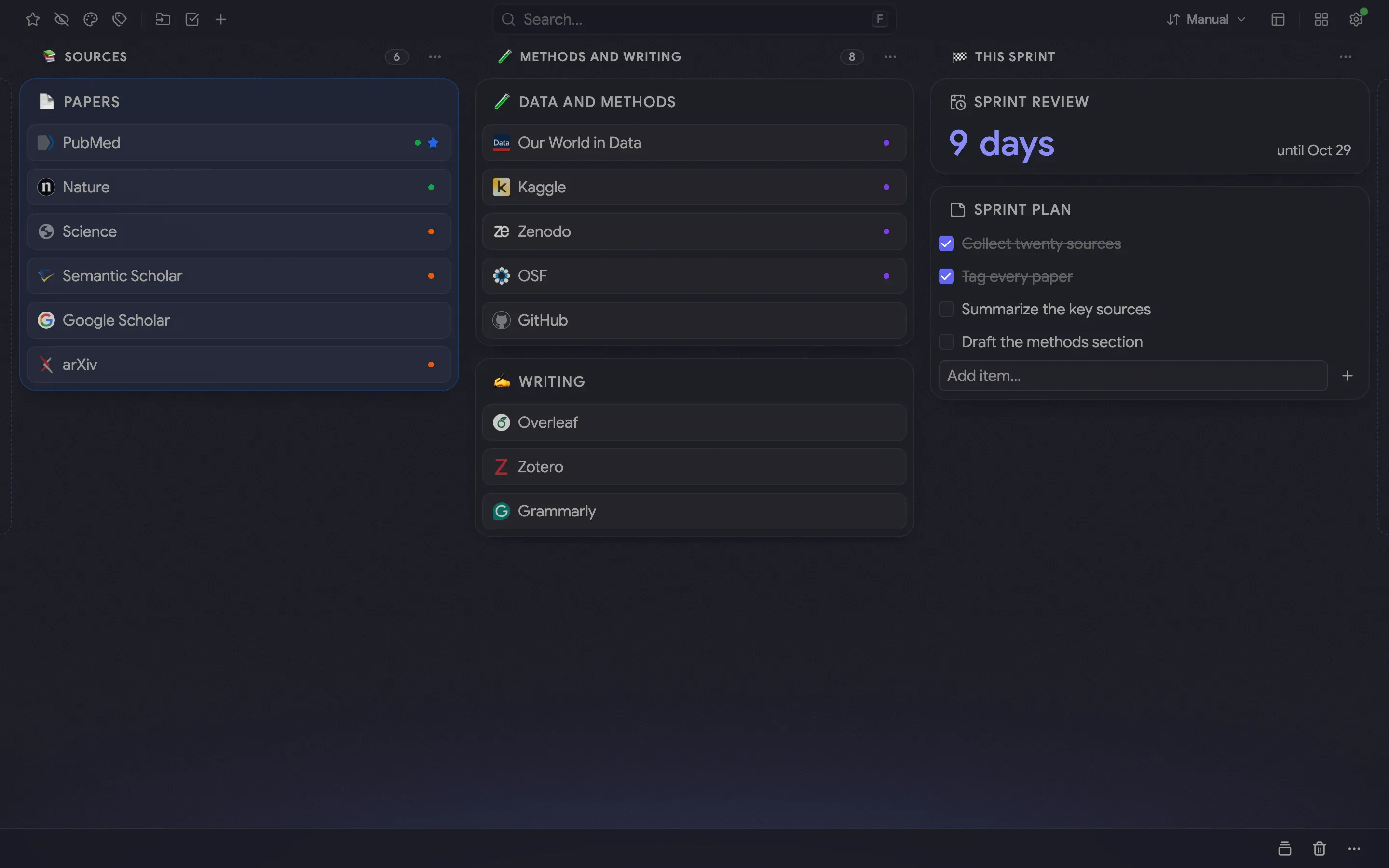
Two weeks, thirty sources and a review at the end. The board keeps them in three named columns: Sources for the papers, Methods and writing for datasets and tools, and This sprint for the countdown and the plan. The colored dots on the links are tags: orange for read next, green for key sources and violet for methods
Tags that answer a question
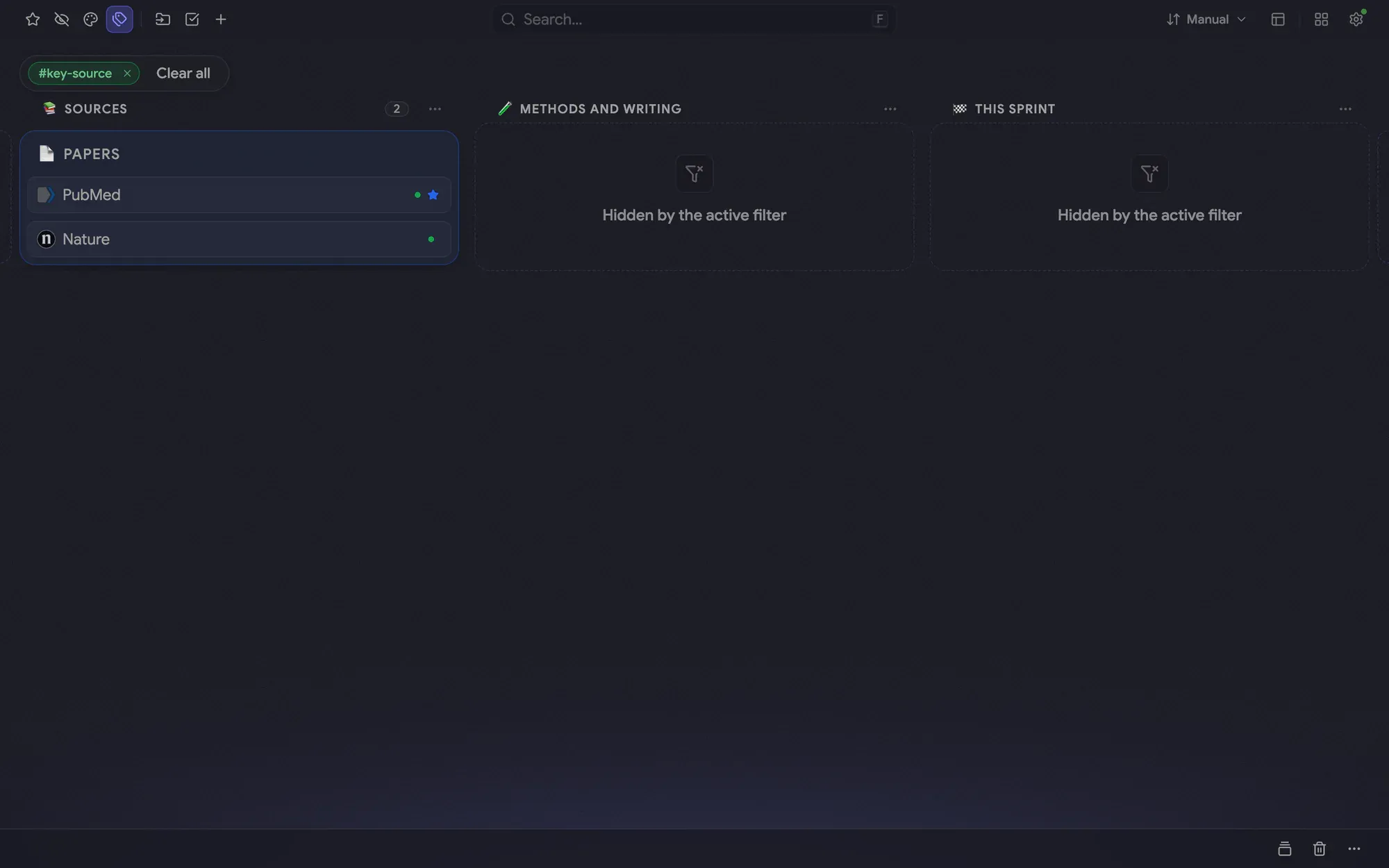
Type # in the command palette to list your tags, pick key-source and the board shows only those links, with a chip under the header. Clear all brings everything back. Tags work in every folder, so one filter covers papers, datasets and tools alike
Sessions for the tabs you work in
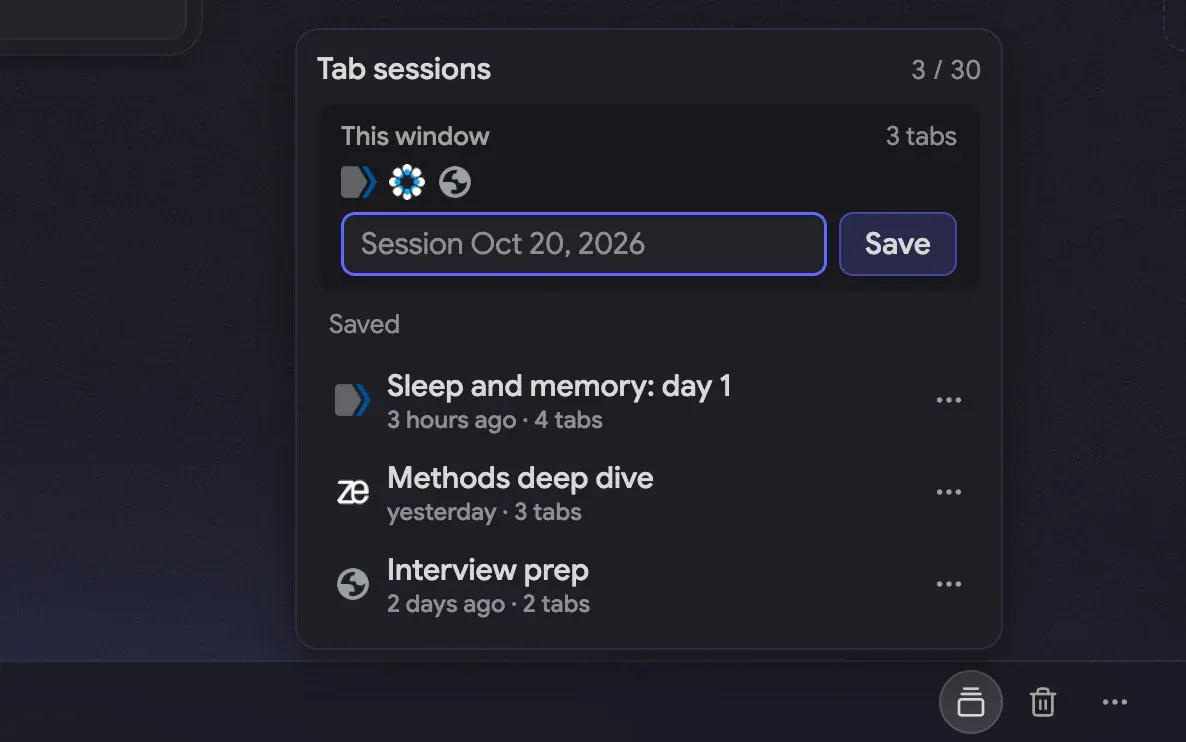
The toolbar’s Sessions tool saves the tabs of one window under a name, outside your bookmarks. Reopen a session later and its tabs come back as background tabs while your current ones stay put. Here Sleep and memory: day 1 and Methods deep dive hold the reading and data tabs of one working day each
The recipe
Every setting behind the screenshots, so you can match the look
Font
Sans
Theme
Dark
Accent
Indigo
Background
Bloom
Layout
Columns
Toolbar
Docked bottom
Intensity
40%
Folder transparency
10%
How to build it
Everything below works in the current release. Parts that need Pro are marked
Choose the dark theme and an indigo accent in Settings → Appearance ↗ Appearance
Pick the Horizon background in the same place Pro↗ Appearance
Put the toolbar at the bottom in Settings → Toolbar & header
Name the three columns and give each an icon: open the column’s ⋯ menu Pro↗ The board and columns
Tag every link: open its ⋮ menu, choose Color & tags and add a tag such as read-next, key-source or methods Pro↗ Favorites, color labels and tags
Press F, type # and pick a tag to narrow the board to it; Clear all drops the filter Pro↗ Command palette
Open Sessions in the toolbar, name the tabs you have open and save them Pro↗ Sessions
Click a saved session’s name to reopen its tabs as background tabs Pro↗ Sessions
Add a Countdown widget set to the sprint review Pro↗ Widgets
Add a note with a checklist for the sprint plan ↗ Notes
Your own bookmarks are not part of a setup. They stay where your browser keeps them, and the board shows them in the columns you choose
What’s free, what’s Pro
Free already covers folders, notes with checklists, color labels, the dark theme with an accent color, the toolbar and the command palette. Pro adds tags and the tag filter, tab sessions, column names and icons, the Horizon background and the Countdown widget
Pro comes with a 14-day trial and no card, so you can try every Pro step before you pay


 Chrome
 Edge*
Edge* Firefox
 Brave
Brave Vivaldi
 Opera
Opera